
How PSA fits with other apps
A ticket points at a company, a contact, a device, the portal, and QuickBooks Online.
Applies to Technician Admin
PSA does not replace the other apps. A ticket points at them. Open the link from the ticket when you need the other record.
Follow the link#
- On the ticket, read Company & Contact. If it says No company linked to this ticket, the ticket has no company yet.
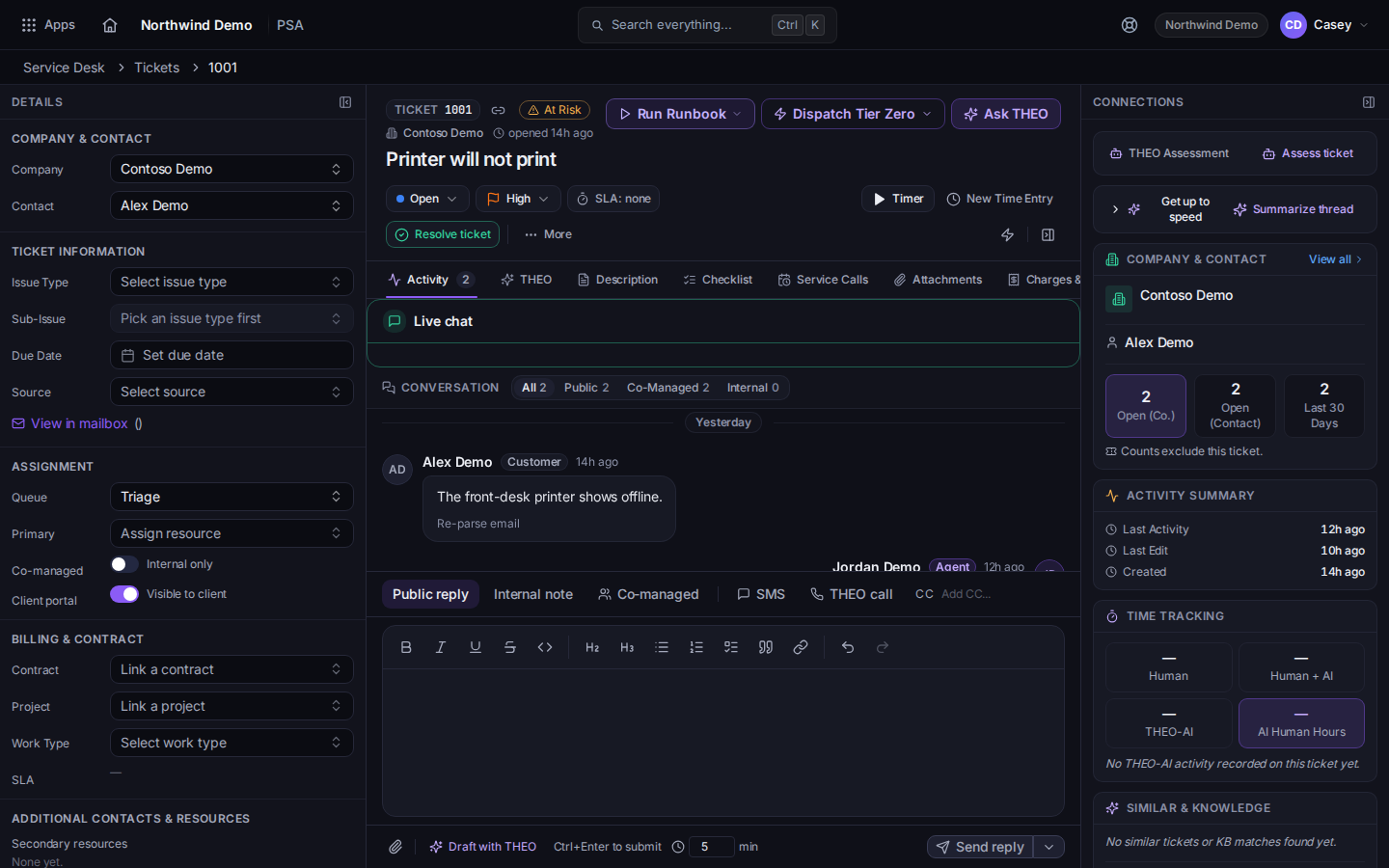
Company and contact on a ticket - Companies and contacts are kept in CRM. See Find a company and Add a contact.
- Configuration Item on the ticket is the device or asset. Open it when you need the record. See Open a configuration item and Connect to a device.
- Clients update their own requests in the portal, not in this staff app. See Set up your client portal and Get help in the client portal.
- Invoices post to QuickBooks Online when you send them, if that connection is on. The connection is managed in Bridge. See Send an invoice and Connect a tool with Bridge.
- Time on the ticket is what Finance can bill. See Log time on a ticket and Turn ready time into invoices.
People, roles, and invites stay in the Hub. See Roles and permissions and Invite a teammate.
If it goes wrong#
- The company is missing on a new ticket. Create or find it in CRM first. The ticket form will not invent a company.
- A client says they cannot see the ticket. The queue may be hidden from the portal. See Work a queue.
- QuickBooks does not show the invoice. It posts when you send, and only when the connection is on. A draft has not been posted. Voiding in PSA does not void the QuickBooks invoice.
What's next#
Was this article helpful?