
Work a queue
Open Queues, see who is staffed, and move tickets to another queue.
Applies to Technician Admin
A queue is the team that owns a set of tickets. The ticket list can filter by queue. The Queues page is the roster and the move action.
Clients only see a queue when Show in client portal is on. The Client portal intake queue is where portal requests land. It has to be a queue clients can see.
Review the queues#
- Open PSA, then Service Desk, then Queues.
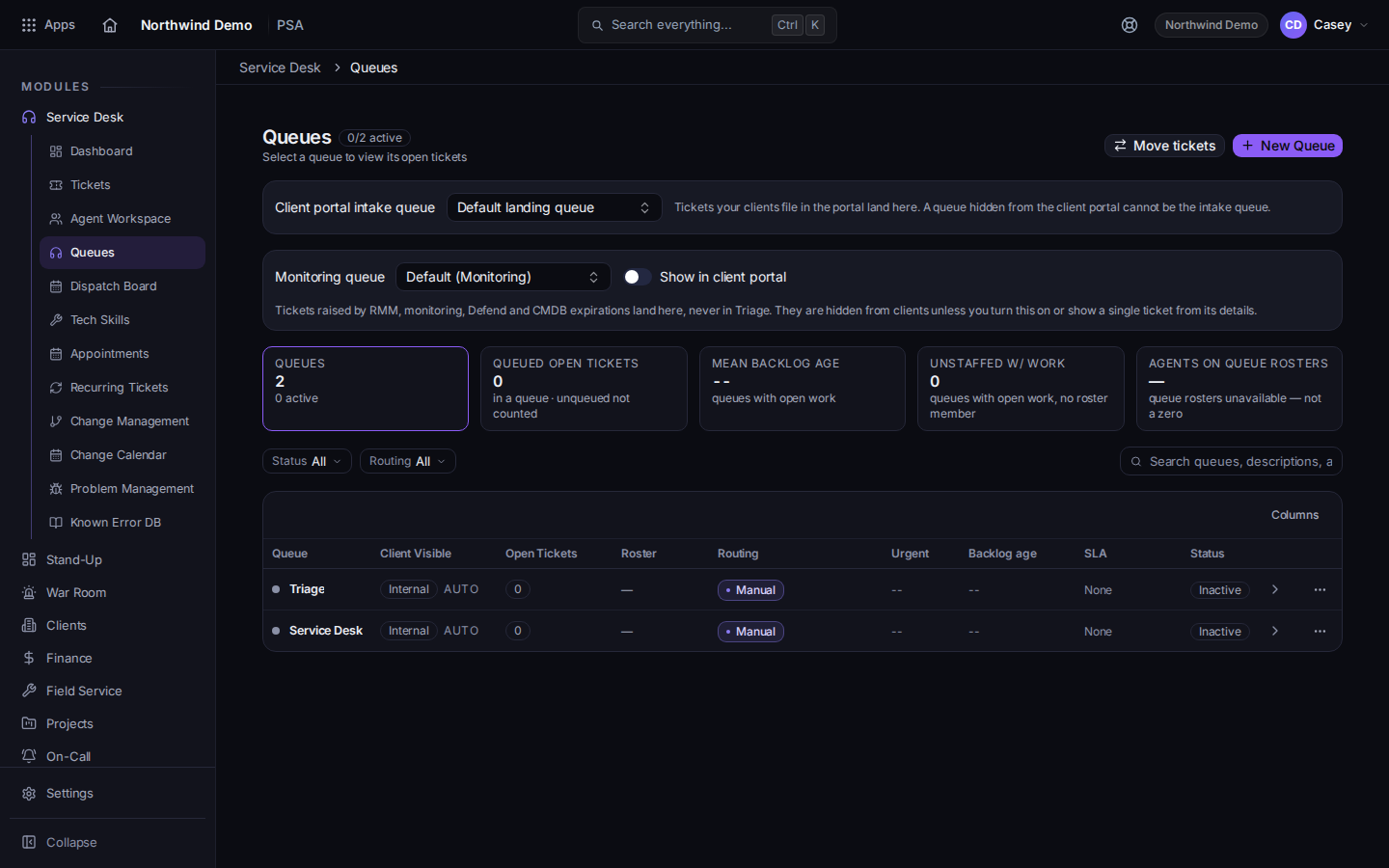
The queue list, including Unstaffed w/ Work - Read each row. Unstaffed w/ Work means the queue has tickets and nobody on the roster.
- Open a queue to see its tickets.
- Choose Move tickets to send tickets to another queue. The button stays off until you have at least two queues.
- For one ticket, open it, choose More, then Reassign Queue.
On a new ticket, leave Queue on Auto-route (default queue) unless you know the destination.
If it goes wrong#
- You don't have access to queues. Your role cannot view them. Ask a PSA admin.
- Move tickets is unavailable. You need two queues. The button explains that.
- A client cannot see a ticket. The queue may be hidden. Show in client portal has to be on, and the intake queue has to be one clients can see.
What's next#
Was this article helpful?