PSA 1 of 50

What PSA is

PSA is the service desk, time, contracts, and invoices your team works in every day.

Applies to Technician Admin

PSA is where your team tracks client work. Tickets, queues, time, contracts, and invoices live here.

Use it when a client needs help, when you bill that work, or when you need to see what is waiting.

What you will find#

  1. Open PSA.
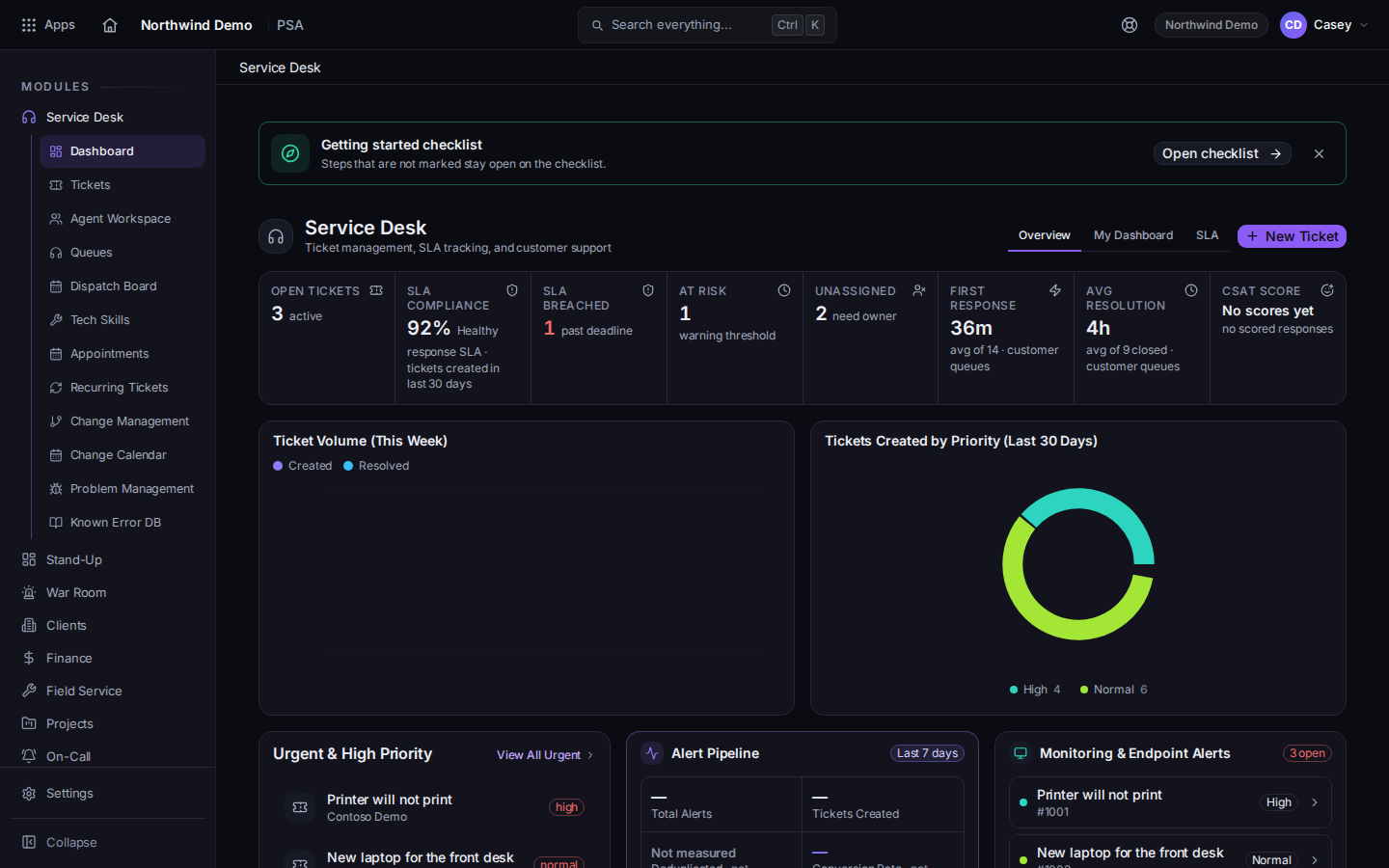
    PSA open on Service Desk
    PSA open on Service Desk
    Service Desk is the usual landing page.
  2. Use Service Desk for tickets, queues, and the dashboard.
  3. Use Time Tracking for the timesheet, the day, and approvals.
  4. Use Finance for contracts and invoices. You only see Finance when your role includes it.

Service Desk includes Dashboard, Tickets, Agent Workspace, Queues, Recurring Tickets, Change Management, Change Calendar, Problem Management, and Known Error DB. Visits and dispatch are in Field Service, a separate PSA area that every PSA organization has. See What Field Service is.

Clients do not use this staff app. They use the portal. See Get help in the client portal.

If it goes wrong#

  • You do not see PSA. Your role does not include it. Ask an admin. See Who can open PSA.
  • Finance is missing. That is a billing permission, not a broken menu.