
Assign a ticket
Set the primary owner on a ticket, or leave auto-assign to the queue.
Applies to Technician Admin
Every ticket should have an owner. The owner is the Primary person on the ticket.
A new ticket can stay on Auto-assign from queue. Change Primary when you know who should do the work.
Set the owner#
- Open the ticket from Tickets.
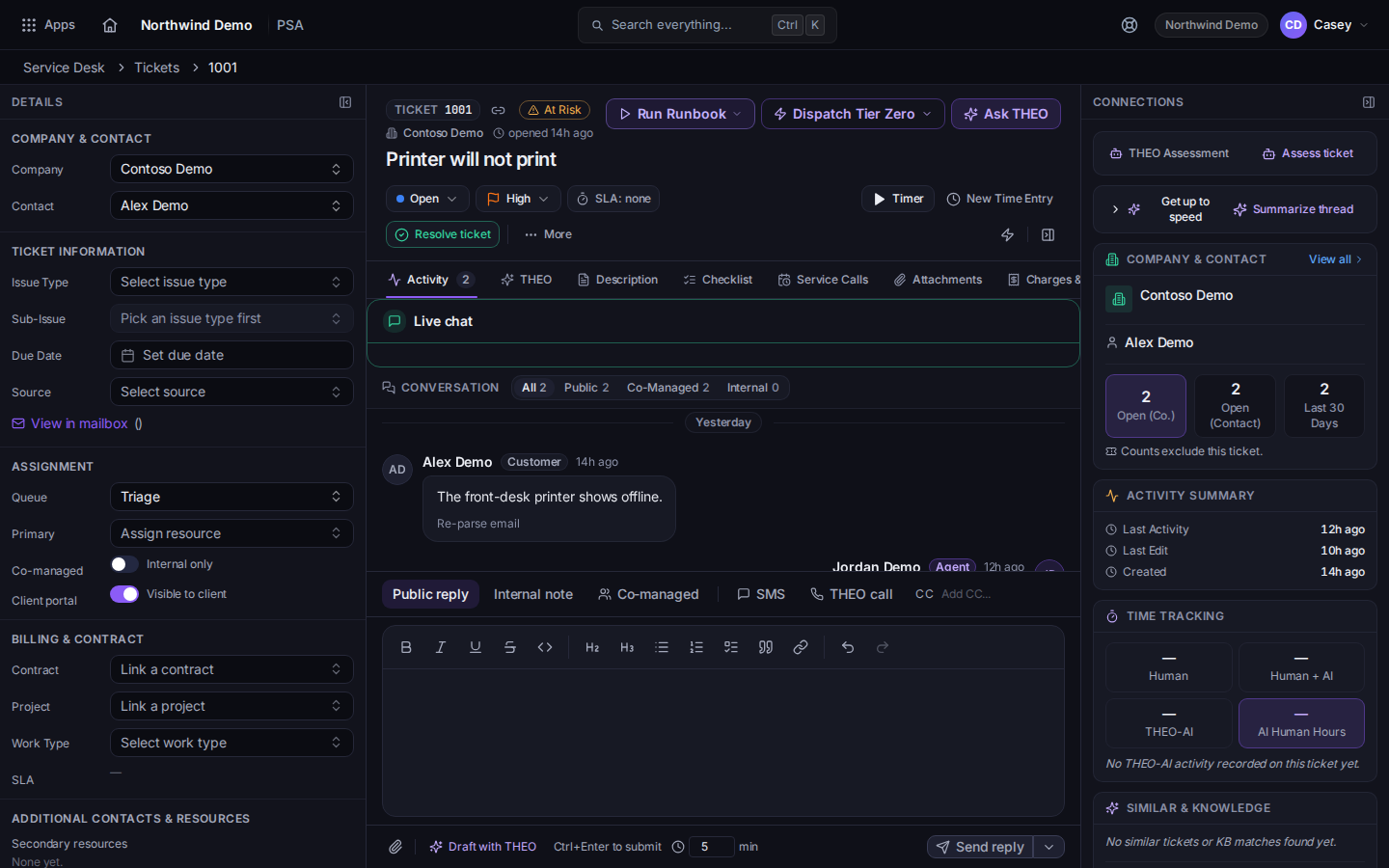
Primary on the ticket - Set Primary to the technician who will do the work.
- To move the work to another queue instead, open More and choose Reassign Queue.
On a new ticket, the assignee field starts as Auto-assign from queue. Pick a person only when auto-assign is wrong.
To send someone to the client's site, use the ticket's Visits tab. See Schedule a visit from a ticket.
If it goes wrong#
- The ticket stays in Unassigned. Primary is still empty. Open the ticket and set it.
- You cannot change the owner. The page tells you that you do not have permission. Ask an admin.
What's next#
Was this article helpful?