
Triage a ticket
Use the list chips and filters to decide what to work before you open a ticket.
Applies to Technician Admin
Triage is how you pick the next ticket. The list already groups work by owner, queue, and SLA.
Work At Risk and Overdue before quiet tickets. Customer waiting means the client asked for something and is waiting on your team.
Sort the list#
- Open PSA, then Service Desk, then Tickets.
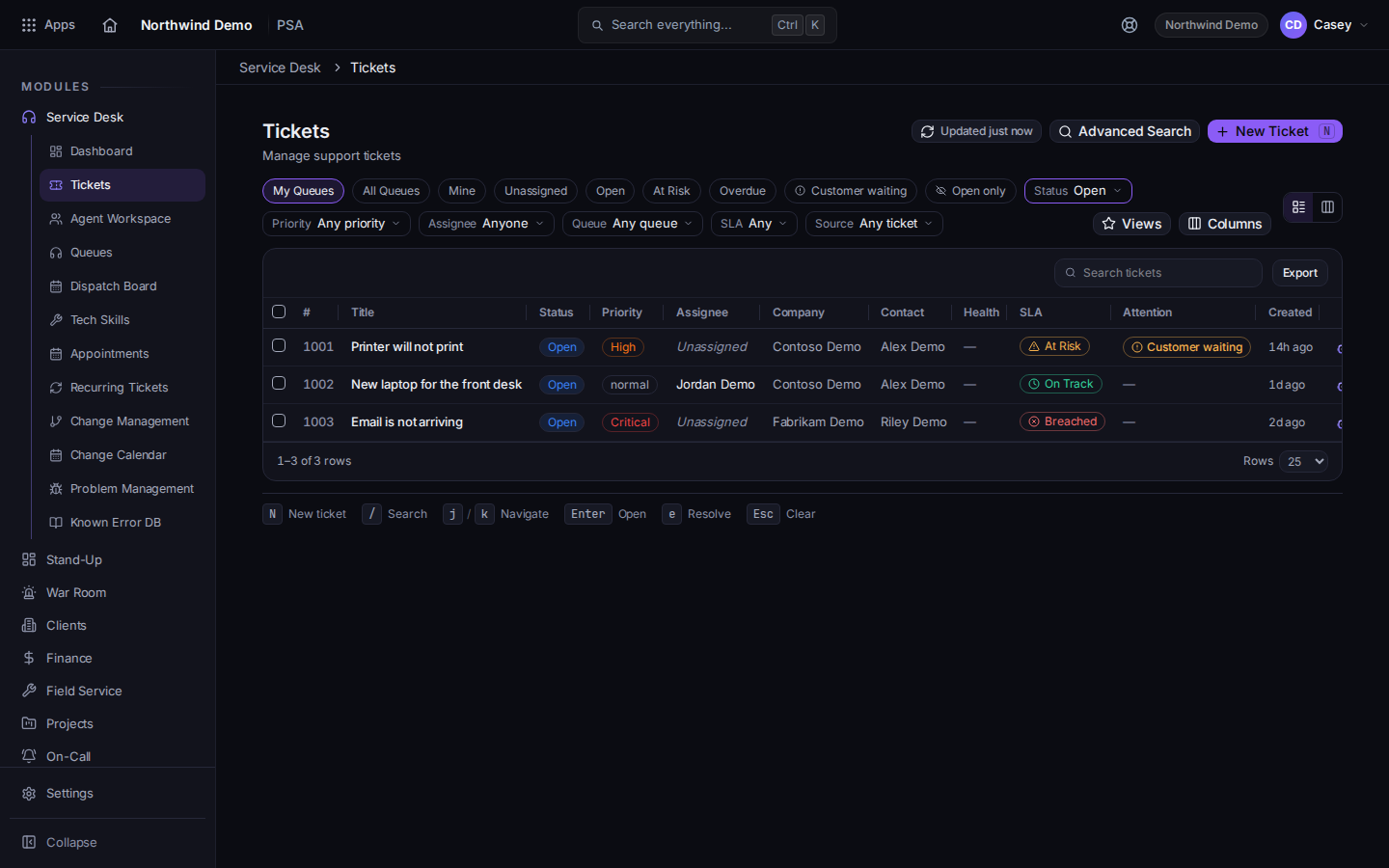
Ticket chips, including At Risk and Customer waiting - Choose Unassigned and give each ticket an owner. See Assign a ticket.
- Choose At Risk, then Overdue. Open the ticket and update it or take it.
- Choose Customer waiting to see tickets where the client asked for a call, an update, or marked the request urgent.
- Use Status, Priority, Assignee, Queue, SLA, and Source when a chip is too wide. SLA can be Any, On Track, At Risk, Breached, or No SLA.
- Choose Views, then Save current view, when you will use the same combination again. Columns changes the table. Export downloads a CSV.
Advanced Search opens a wider search. The dashboard counts are a second way in. See Read the service desk dashboard.
If it goes wrong#
- At Risk shows a number and My Queues is empty. You are looking at your queues only. Choose All Queues.
- A filter says Any status and you still see only open tickets. Choose Incl. closed. Open only hides resolved and closed tickets. Open (default) restores the open list.
What's next#
Was this article helpful?