
Read the service desk dashboard
Read Open Tickets, SLA Compliance, SLA Breached, At Risk, and Unassigned on the Service Desk dashboard.
Applies to Technician Admin
The Service Desk dashboard is the morning count of ticket work. The tiles open the ticket list for that same count.
It is not a separate reports product. Ticket counts live here. Survey results live on Customer Satisfaction. Invoices live in Finance.
Read it#
- Open PSA, then Service Desk, then Dashboard.
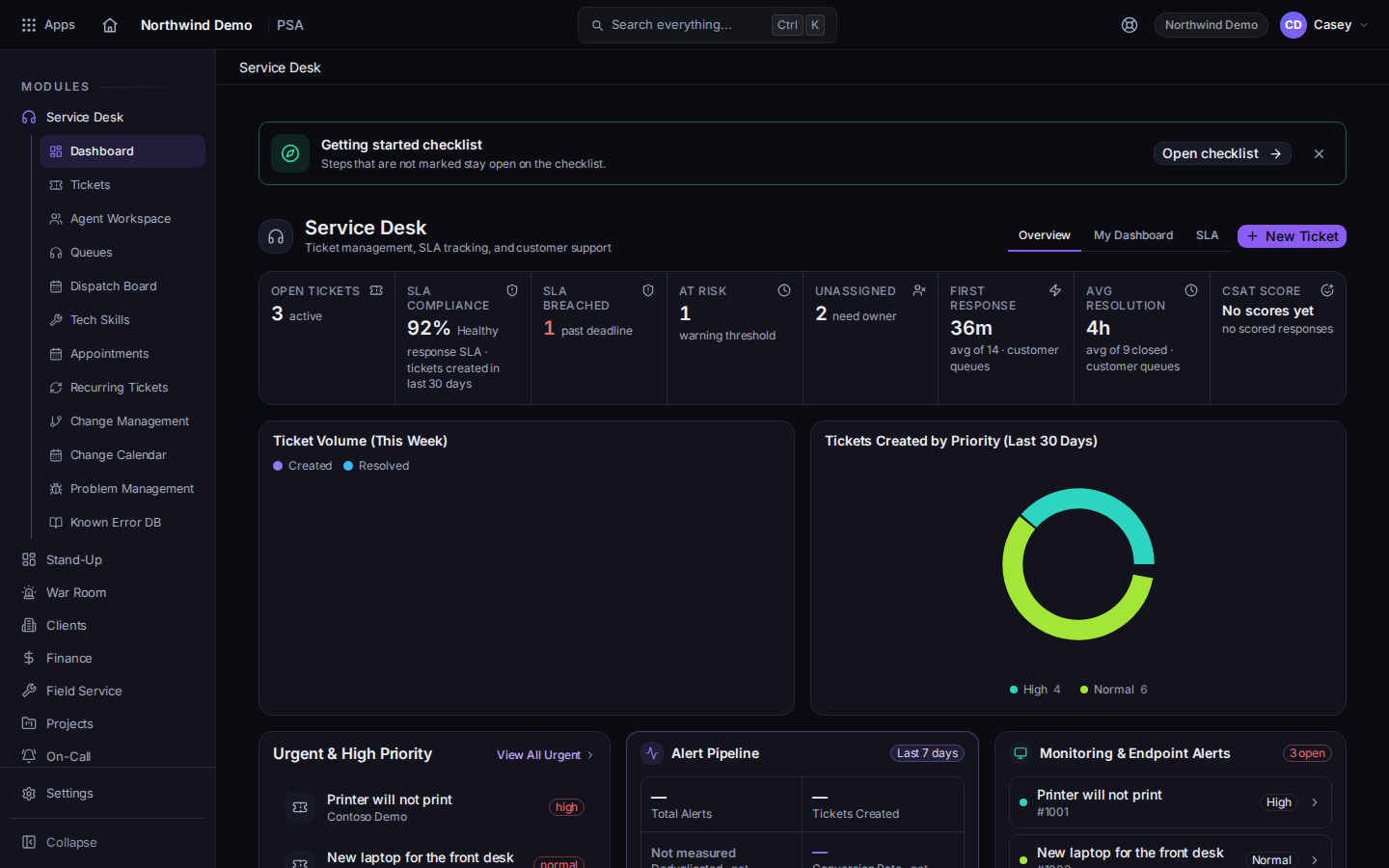
The Service Desk dashboard tiles - Use the Overview tab for the tiles. SLA is the SLA tab. My Dashboard is the personal tab.
- Read Open Tickets, SLA Compliance, SLA Breached, At Risk, and Unassigned.
- Choose a tile to open the ticket list for that set. SLA Compliance opens the SLA tab instead of the list.
- Choose New Ticket on the dashboard when you need a ticket immediately. See Open a ticket.
SLA Compliance is the response-SLA figure for tickets created in the last 30 days that have a target. It is not the same count as SLA Breached, and it is not the open-ticket count. When there is no data, the hint can say No SLA data. Other hints you may see include Healthy, Fair, and At risk.
Unassigned uses the hint need owner when tickets have no owner, and all assigned when they do not.
If it goes wrong#
- A tile shows a number and the list is empty. You landed on My Queues. Choose All Queues, or use the tile again so the list keeps the scope the tile counted.
- SLA Compliance and SLA Breached disagree. They measure different sets. Read both labels. Do not add them together.
- You wanted a printed report of the whole business. This dashboard is the service desk count. Billing numbers are on the Finance pages. See Create an invoice.
What's next#
Was this article helpful?