
Send an invoice
Send a draft invoice to the client. Sending is also what posts it to QuickBooks Online.
Applies to Admin
Send Invoice emails the invoice to the client. That send is also the step that posts the invoice to QuickBooks Online when QuickBooks is connected.
Mark as sent (no email) records the invoice as sent and does not email anyone. It still counts as sent.
Send it#
- Open PSA, then Finance, then Invoices, and open the invoice.
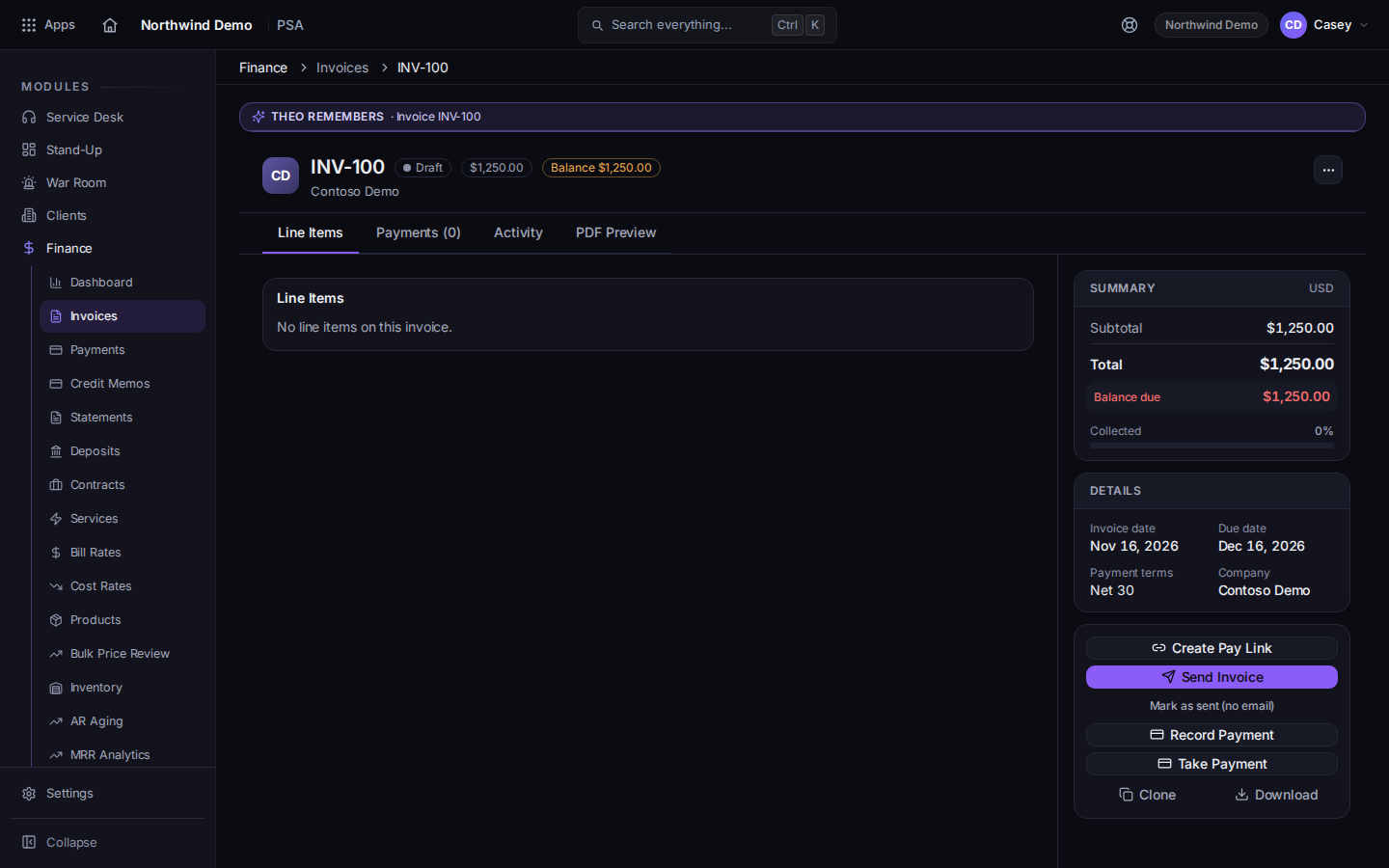
Send Invoice on the invoice - Choose Send Invoice to email it. After it has been sent, the button reads Already Sent.
- If you must record it without email, choose Mark as sent (no email). Confirm Mark this invoice as sent without emailing the customer? No email will be sent.
- When a balance remains, Record Payment is available. Paid in Full replaces it when nothing is due. Take Payment is there when your role can take a payment. Clone copies the invoice.
QuickBooks Online is the accounting connection this send uses. Connect it from Payment Sync, which opens Connectors are managed in Bridge and Open Bridge Connections. See Connect a tool with Bridge.
If you void an invoice that was already synced, void it in QuickBooks too. The invoice page says the platform does not do that for you.
If it goes wrong#
- Send Invoice is missing and you see Already Sent. It was already sent. Do not expect the button to email it again.
- QuickBooks tax is unavailable. The invoice cannot be saved until tax can be produced. Nothing is stored at a zero rate to get past the error.
- The client was not emailed. You chose Mark as sent (no email), or the send did not finish. Read the button. Already Sent means the send step completed.
- You don't have access to Finance. Ask a PSA admin.
What's next#
Was this article helpful?