PSA 25 of 50

Create an invoice

Start a draft invoice from Finance. Sending it is a later step.

Applies to Admin

An invoice is the bill for work you charge. New Invoice creates a draft. It does not email the client and it does not finish the accounting step.

You need Finance. Without it, the page tells you that you do not have access.

Create the draft#

  1. Open PSA, then Finance, then Invoices.
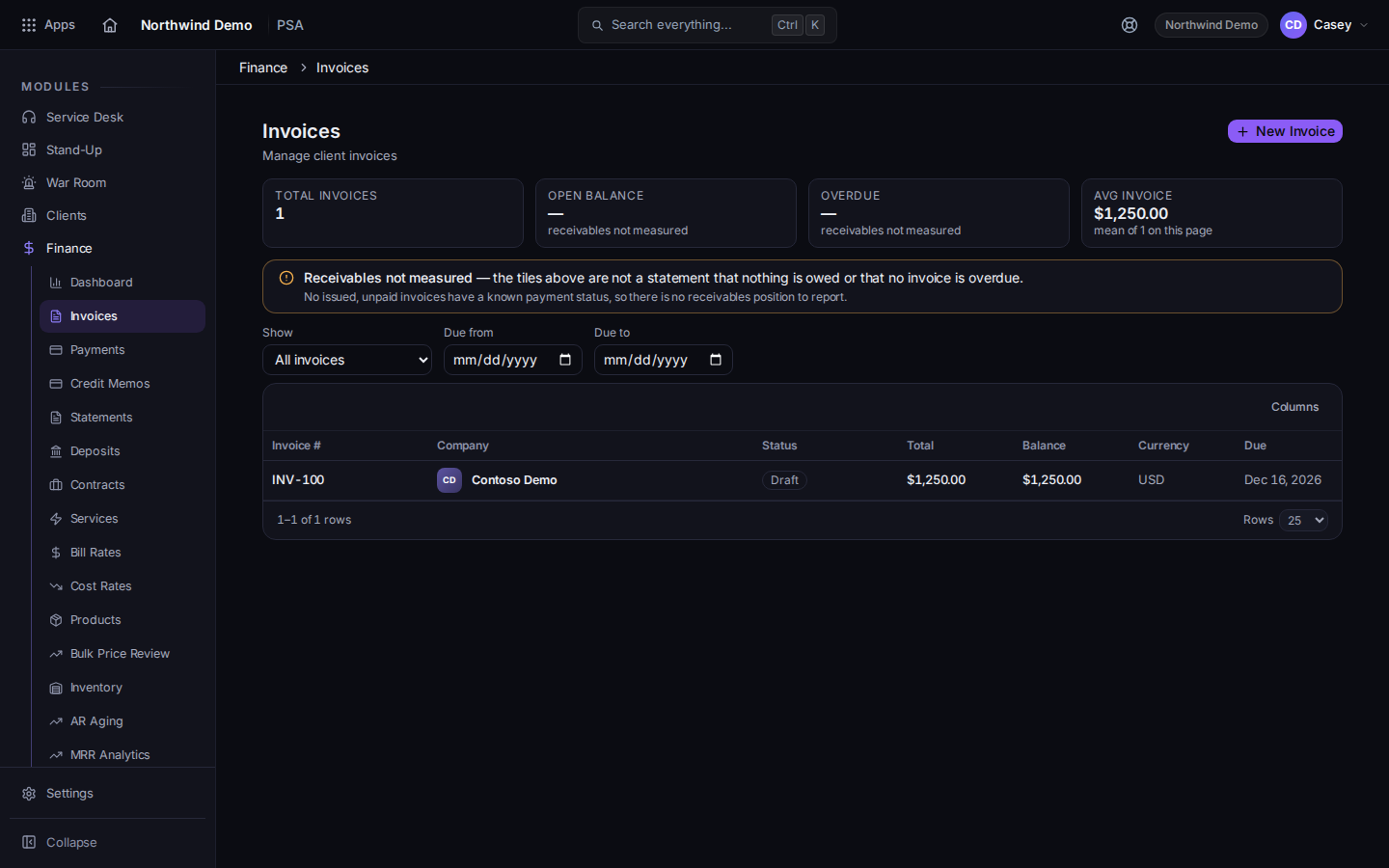
    The invoice list, with New Invoice
    The invoice list, with New Invoice
    The title is Invoices.
  2. Choose New Invoice.
  3. The create page is Create Invoice. Use Manual to enter lines yourself, or From Time Entries to start from time.
  4. Save the draft from that page.

Ready to Invoice builds drafts from time that is ready. See Turn ready time into invoices. Payments is the list of payments, not the create button.

Sending the draft is separate. See Send an invoice.

If it goes wrong#

  • You don't have access to Finance. Ask a PSA admin for a billing view permission.
  • Failed to load invoices. Choose Retry. If the message is about access instead, do not keep retrying.
  • Something went wrong fetching your invoice data. Please try again. The list did not load. Try again.
  • QuickBooks tax is unavailable. The draft is not saved at a zero tax rate. The page says nothing is saved until tax can be produced. Fix the tax setup, then create the invoice again.
  • The invoice is not sent. New Invoice only creates the draft.