
Prepare CSAT surveys
Turn on the survey settings, then read the banner. Dry run records what would send and does not email anyone.
Applies to Admin
CSAT is the survey you can ask a requester to answer after a ticket is resolved. The settings page is CSAT Surveys. The results page is Customer Satisfaction.
Read the banner before you tell anyone that customers are being asked. A switch that is on is not the same as mail going out.
Prepare the survey#
- Open PSA, then Service Desk. Go to CSAT settings. The page title is CSAT Surveys. The breadcrumb is Service Desk, Settings, CSAT.
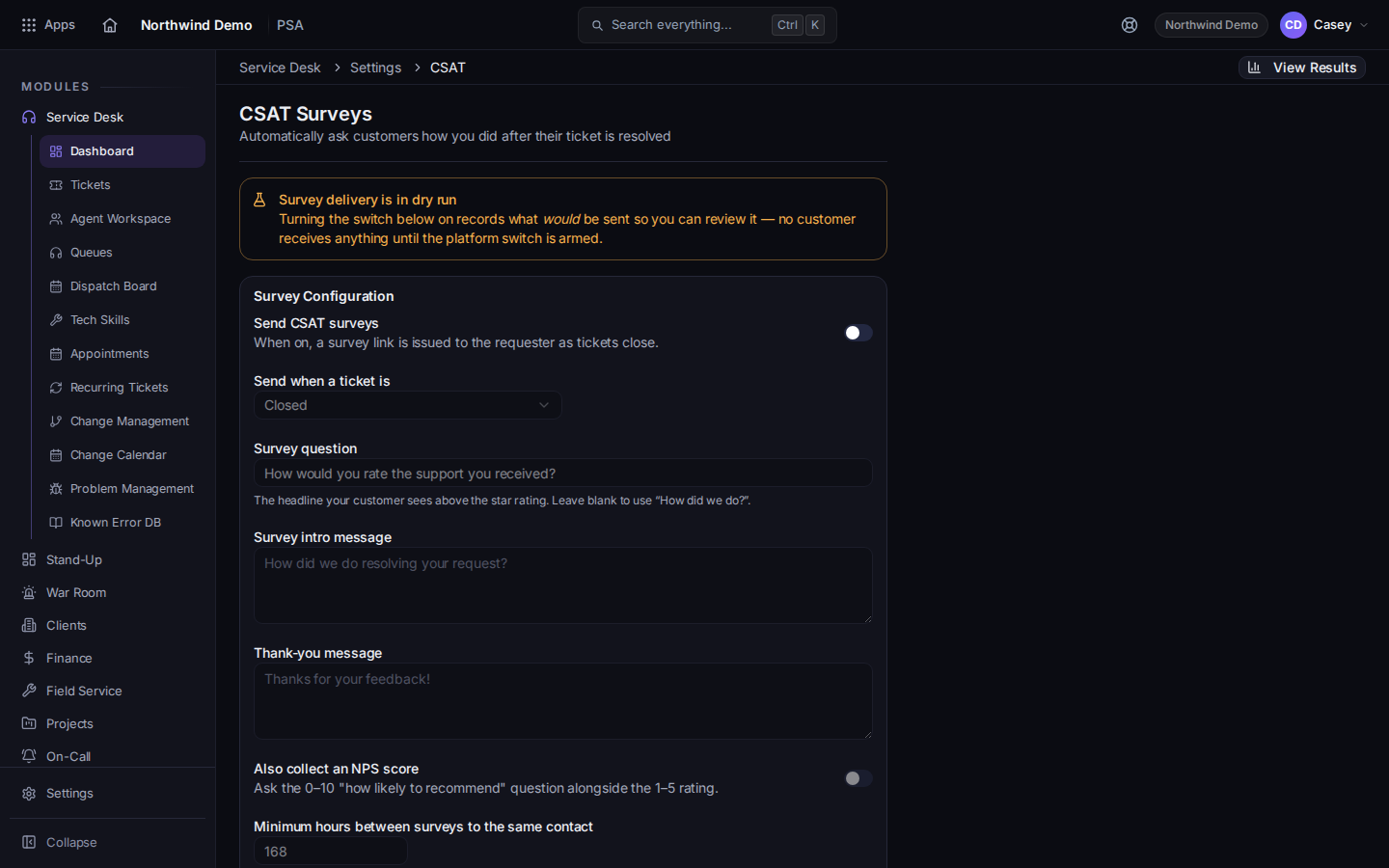
CSAT Surveys, with the delivery banner and Send CSAT surveys - Read the banner.
- Survey delivery is LIVE means delivery is on. Read the description under it.
- Survey delivery is in dry run means nothing is delivered. The page says no customer receives anything until the platform switch is armed. Rows are marked Would send so you can review them.
- Survey delivery is disabled means delivery is off.
- Turn on Send CSAT surveys only when you want the settings saved. The help text says a survey link is issued to the requester as tickets close. The banner still decides whether anyone receives it.
- Set Send when a ticket is to Closed or Resolved or closed.
- Edit Survey question, Survey intro message, and Thank-you message. Leave the question blank to keep How did we do?.
- Optional: turn on Also collect an NPS score.
- The page labels Minimum hours between surveys to the same contact. It says the default is 168 (one week). Wait this many minutes after resolve before surveying says the default is 60.
- Choose Save settings.
- Under Which queues send surveys, check each queue. The page says only customer-facing queues survey by default. Internal and alert queues do not.
Choose View Results to open Customer Satisfaction.
Resolve quietly (silent) does not send a survey. See Resolve a ticket.
If it goes wrong#
- The switch is on and nobody got a survey. Read the banner. Dry run and disabled do not email the requester. Would send is a preview, not a delivery.
- A queue never surveys. It is internal or an alert queue, or surveys are off for that queue. The log can also say the contact has no email, opted out, or the ticket was resolved quietly.
What's next#
Was this article helpful?