
Approve a timesheet
Open Time Approvals and approve submitted time. Approve all pending only after you have looked.
Applies to Admin
Approvals are for the person who reviews submitted time. Technicians submit. Leads approve.
The page is Time Approvals under Time Tracking.
Approve it#
- Open PSA, then Time Tracking, then Approvals.
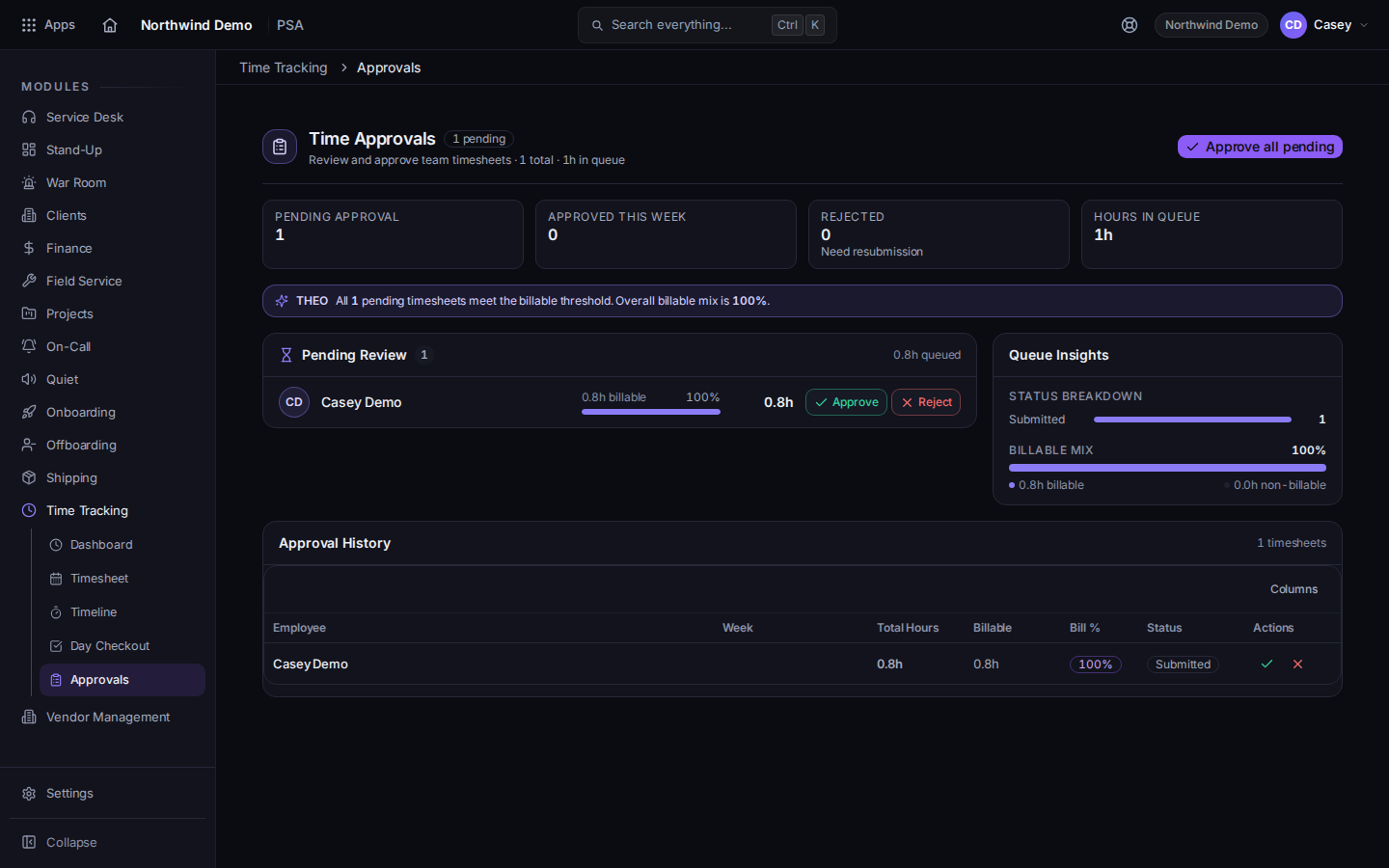
Time Approvals, with Approve all pending - Read each submitted timesheet.
- Approve the ones that are right.
- Use Approve all pending only after you have looked at every row.
If it goes wrong#
- Approvals is empty. Nothing has been submitted, or you are looking at the wrong week.
- You cannot open the queue. Your role does not include time approval. The page will not pretend this is an outage. Ask an admin.
- A technician says they submitted and you see nothing. Ask them to confirm Submit for Approval finished, and that automated entries were reviewed.
What's next#
Was this article helpful?