
Import a spreadsheet into your CRM
For client admins. Import a CSV of contacts, companies, or deals, after a preview that saves nothing.
Applies to Client
An account admin can bring in a spreadsheet. A standard user and a read-only person cannot. The empty contacts list says so.
Nothing is saved until you confirm the import. The preview is a dry run.
Import#
- Open CRM, then Contacts, Companies, or Deals.
- Choose Import or export, then Import from a spreadsheet…. On an empty contacts list the button is Import a list.
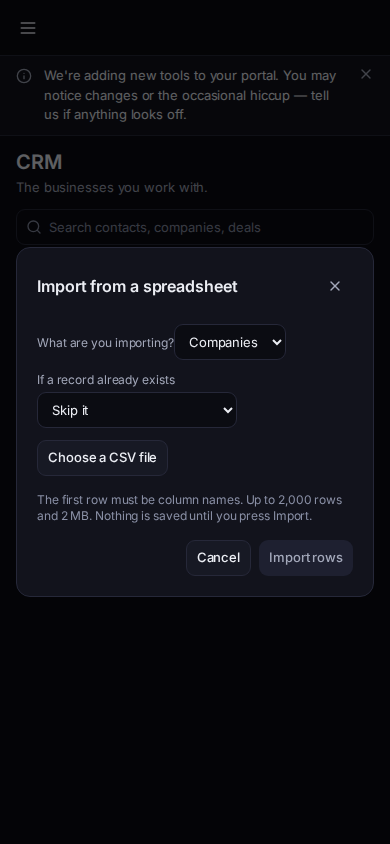
Import from a spreadsheet
Phone-width view of sample records.
- The dialog title is Import from a spreadsheet. Choose Contacts, Companies, or Deals.
- Choose the file and map the columns. Read the preview. It says nothing is saved until you press Import.
- Choose Import and the row count. When it finishes, the dialog reports how many were added, updated, skipped, and how many had errors.
- Export to CSV on the same menu downloads the list. Editors can export. Viewers cannot. The reports page also has Import from CSV for an admin, and Export buttons under Your data.
If it goes wrong#
- Import or export is missing. You are not an admin, or for export you are not an editor. The page says importing is limited to your account admin.
- The file is refused. Check the first row, the size, and that it is a CSV. Fix it and start again. The preview did not write rows.
What's next#
Was this article helpful?