
Record an activity in your CRM
For clients. Add a call, meeting, email, or task on Activities.
Applies to Client
An activity is a call, meeting, email, or task with a due time. The page title is Activities. The line under it is Calls, meetings, emails and tasks, with who owns them and when they are due.
Record it#
- Open CRM, then Activities.
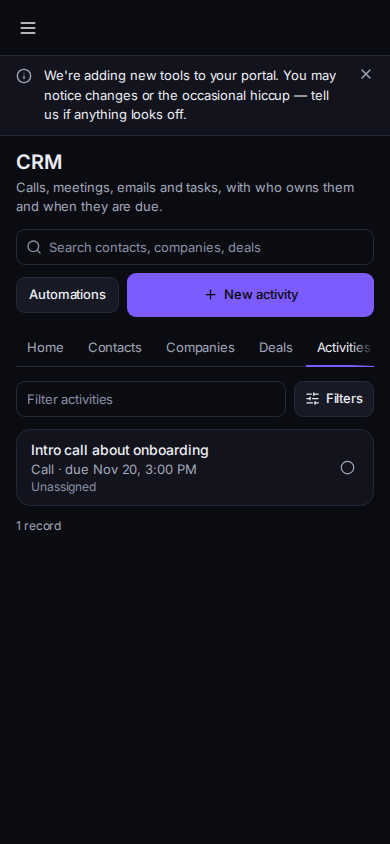
Your activities, with New activity
Phone-width view of sample records.
- Choose New activity. The dialog title is New activity.
- Set Type and What needs to happen. The subject is required. Due and Linked to (None, Deal, Contact, or Company) are optional.
- Choose Save.
- On a company, contact, or deal, Add activity does the same job and links the activity to that record.
- Mark an activity done from the list when you finish it.
An account admin can delete an activity. The confirm is Delete this activity? and Delete activity.
Couldn't load activities has a retry. Loading activities... is the wait.
If it goes wrong#
- Save does nothing. What needs to happen is empty.
- You do not see New activity. You are read-only.
What's next#
Was this article helpful?