
Add a company in your CRM
For clients. Add a company from your CRM Companies list.
Applies to Client
A company in your CRM is a business you work with. It is not your provider's client list.
Add it#
- Open CRM, then Companies. The line under the title is The businesses you work with.
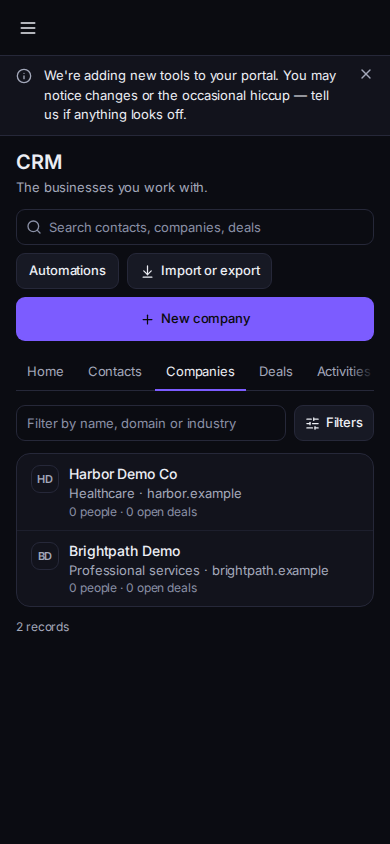
Your companies, with New company
Phone-width view of sample records.
- Choose New company. The dialog title is New company.
- Company name is required. Website, Industry, Phone, Email, Address, Owner, tags, and Notes are optional.
- Choose Save.
- Open the row for People, Deals, Timeline, and Details. Add person and New deal are on that page when you can edit.
No companies yet is the empty list. Loading companies... is the wait. Couldn't load companies has a retry. This company was not found means it was deleted. Back to companies returns to the list.
If it goes wrong#
- Save does nothing. Company name is empty.
- You cannot see New company. You are read-only. Ask your account admin.
What's next#
Was this article helpful?