Workspace 5 of 36

Add a Workspace domain

Add the domain people use for email, then copy the DNS records it asks for.

Applies to Owner Admin

For MSP staff and admins. A domain is the part of the address after the @. People cannot get a mailbox on it until it is verified.

Inside a customer, open Workspace Admin, then Domains. An MSP looking across customers starts at Tenants, opens the customer, then Domains.

Add the domain#

  1. Open Domains.
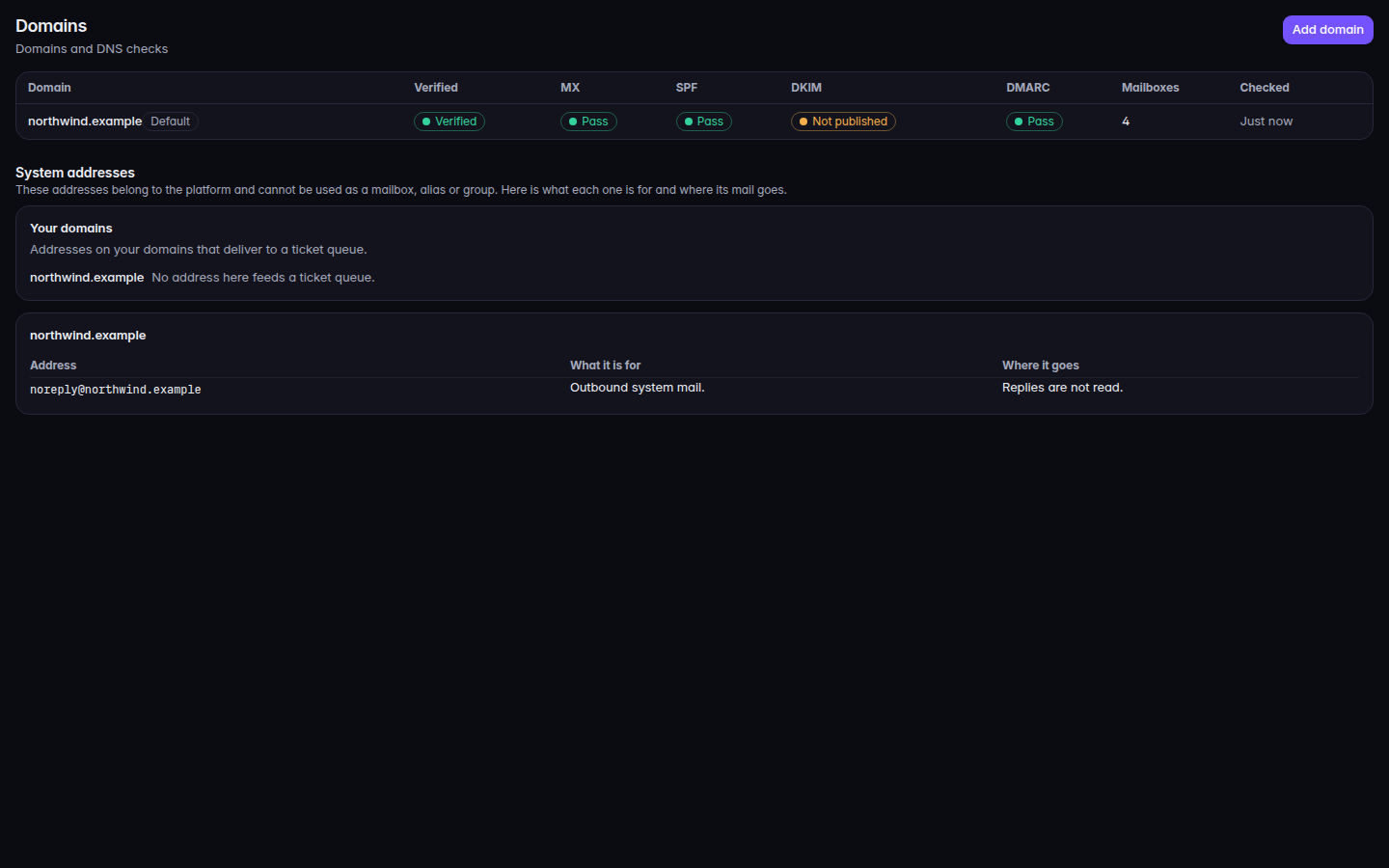
    The Domains list and Add domain
    The Domains list and Add domain
    The Domains list and Add domain.
  2. Choose Add domain.
  3. Enter the domain, such as the company's public name, and choose Add domain.
  4. The drawer shows Records to publish. Copy each value with Copy value and publish it at the DNS host for that domain.

The page says you will get the DNS records to publish next. It also says changes can take time to show.

System addresses on the same page lists addresses the platform reserves. Those cannot be a mailbox, an alias, or a group. It also shows which of your addresses already deliver to a ticket queue.

If it goes wrong#

  • Enter a domain like example.com. The name is not a domain. Enter the name only, with no address and no path.
  • No domains yet. Nothing has been added. Choose Add domain.
  • Domains is not available to you. Your role cannot see domains.