
Read the Workspace sign-in log
See every sign-in attempt, including failures, and export the list.
Applies to Owner Admin
For MSP staff and admins. The sign-in log is every attempt, newest first. It is under Security, not under the person's mailbox.
Read an attempt#
- Open Workspace Admin, then Sign-in log.
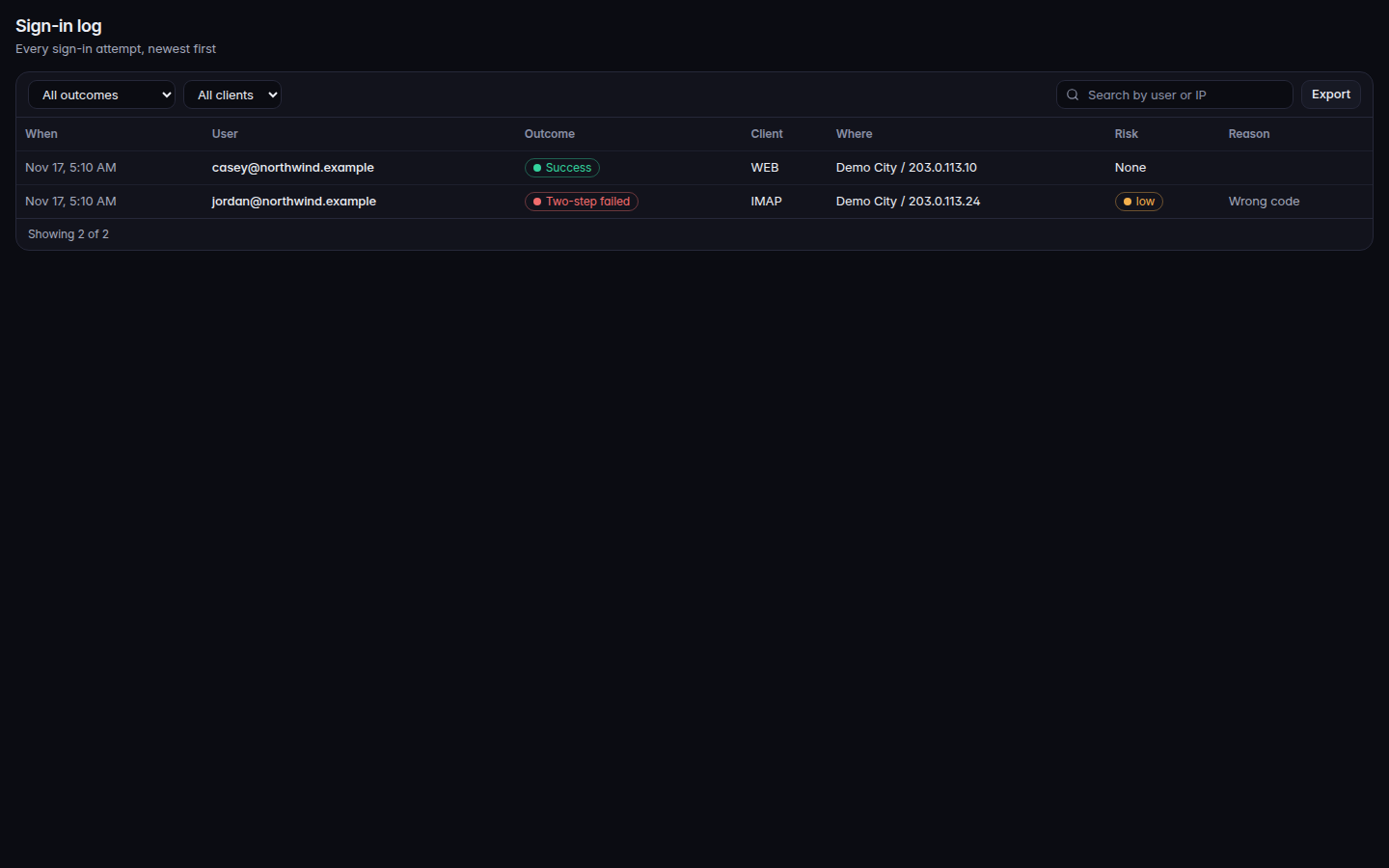
The sign-in log, with outcome and client filters - Read the columns: When, User, Outcome, Client, Where, Risk, and Reason.
- Filter Outcome. The values are Success, Wrong credentials, Two-step failed, Blocked, and Locked out.
- Filter Client. The values include WEB, IMAP, SMTP, DAV, MOBILE, and DESKTOP.
- Use Search by user or IP when you know who or where.
- Choose Export when you need a file.
Risk is None, Not measured, or a level of low, medium, or high.
If it goes wrong#
- No sign-ins recorded. Nothing has been stored yet. A new attempt appears after someone tries to sign in.
- Sign-in log is not available to you. Your role cannot see security settings.
- You cannot find a person. Search matches the user or the IP stored on the row. It does not search the message they read.
What's next#
Was this article helpful?