Re-check MX, SPF, DKIM, and DMARC for a domain and read what the last check found.
2 min read
Applies toOwnerAdmin
For MSP staff and admins. After you publish DNS, Workspace checks MX, SPF, DKIM, and DMARC. Not published is a finding. A domain that has not been checked says Not checked.
An MSP can also open Tenants, then Mail DNS plan. That drawer is titled Mail DNS plan and lists the records your customers' domains are asked to publish.
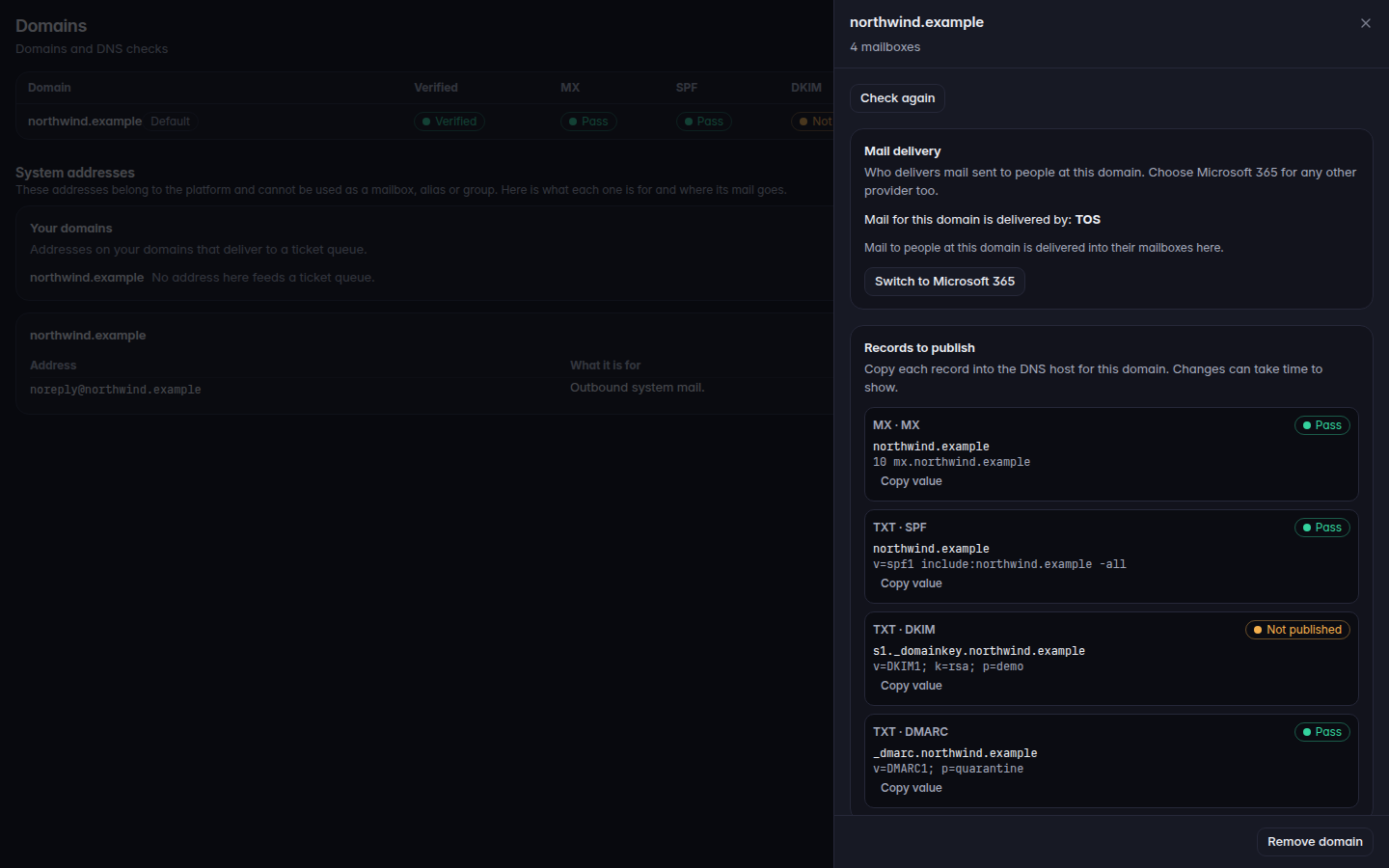
Open Domains and select the domain.A domain drawer with Records to publish and Check againA domain drawer with Records to publish and Check again.
Read each record under Records to publish. The type and purpose are on the card. Pass means that record matched.
Choose Check again. The button says Checking while it runs.
Other states you can see:
Label
Meaning
Pass
The record matches
Not published
The record is missing
Wrong value
A record is there and does not match
Another provider
The last MX check found mail going somewhere else
Not pointing here
MX records do not all point here
Old host
An older host is still in the result
Monitoring
Seen on DMARC, not as a pass
Not checked
No check has been stored yet
A banner names the domain when the last check did not find mail coming here. It starts with At the last check. From Overview or Mail flow, Open Domains to check again returns you to this page. The banner does not run the check itself.
Mail for the domain was going to another provider. Mailboxes here will not receive mail until the MX records point here. Publish the MX record, then Check again.
Mail for the domain is not all coming here. Some MX records still point elsewhere.
No MX records found. Mail for that domain is not being delivered anywhere yet.
Check again does nothing you can see. DNS changes take time. Wait, then check once more. Do not remove the domain to force it.