
Choose a response in Defend
Read the undo label on a response before you confirm it.
Applies to Technician Admin
A response on an alert or an incident is a choice the page lists for that item. Each choice shows what it does, and whether you can undo it.
The labels come from that item. Do not assume the next incident offers the same list.
Read the label, then confirm#
- On the incident, read Your decision when the case needs you. On an alert, read the response cards under the header.
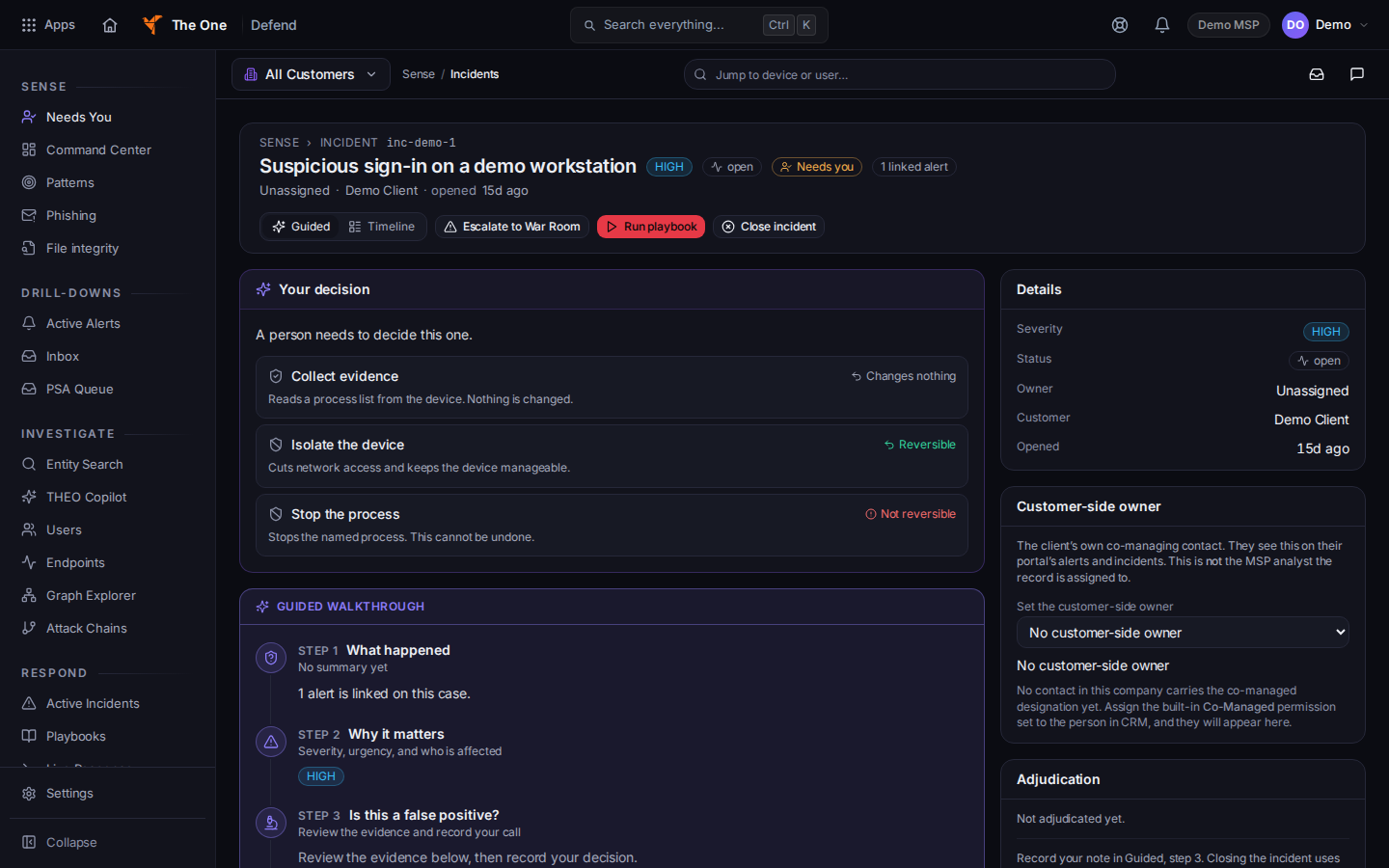
A response choice with its undo label - Read the undo label on the choice:
- Changes nothing or Read-only — changes nothing means the action only reads.
- Reversible means you can undo it afterwards.
- Not reversible or Cannot be cleanly undone means you cannot cleanly undo it.
- Choose the action. The confirm line matches the label:
- Read-only: This only reads from the device. Go ahead?
- Reversible: Go ahead? You can undo this afterwards.
- Anything else: This cannot be cleanly undone. Go ahead?
- Choose Confirm or Cancel. While it runs, the button reads Working….
Recommended appears only when that choice is tied to a verdict for this item. Do not treat it as a reason to skip the undo label.
Isolate the device and Return device to network are separate controls on the incident when the page offers them. Return device to network is how you release a device that was isolated. Escalate to senior… appears when isolation is blocked and a senior can take it. If no one can, the line is Ask an owner or an admin to isolate it.
If a card says THEO already handled this and No action needed, read the summary on that card. The card can tell you to use the Respond panel to release the endpoint. That card is about this incident. It is not a statement that other devices were contained, and it is not a standing response service.
Saving Request device isolation under Defend settings does not isolate a device by itself. The switch says isolation waits for a person.
If it goes wrong#
- The undo label is missing. Do not confirm. Reload the incident. If the label still does not say Reversible, treat the action as not reversible.
- The device is offline. A command waits for the next check-in. Pending is not done.
- You have view-only access. The page says so. No confirm button is yours to press.
What's next#
Was this article helpful?