
Defend user guide
What Defend coverage means, and what a quiet device does not prove.
Applies to Technician Admin
Defend is the staff place to review security evidence and to decide what a person will do next. Start with Open Defend.
You use this guide before you treat a dashboard, a rule, or an empty queue as coverage.
Before you start#
Check the path, then the screen#
- Name the client, the device or account, the source, and the time range before you close anything.
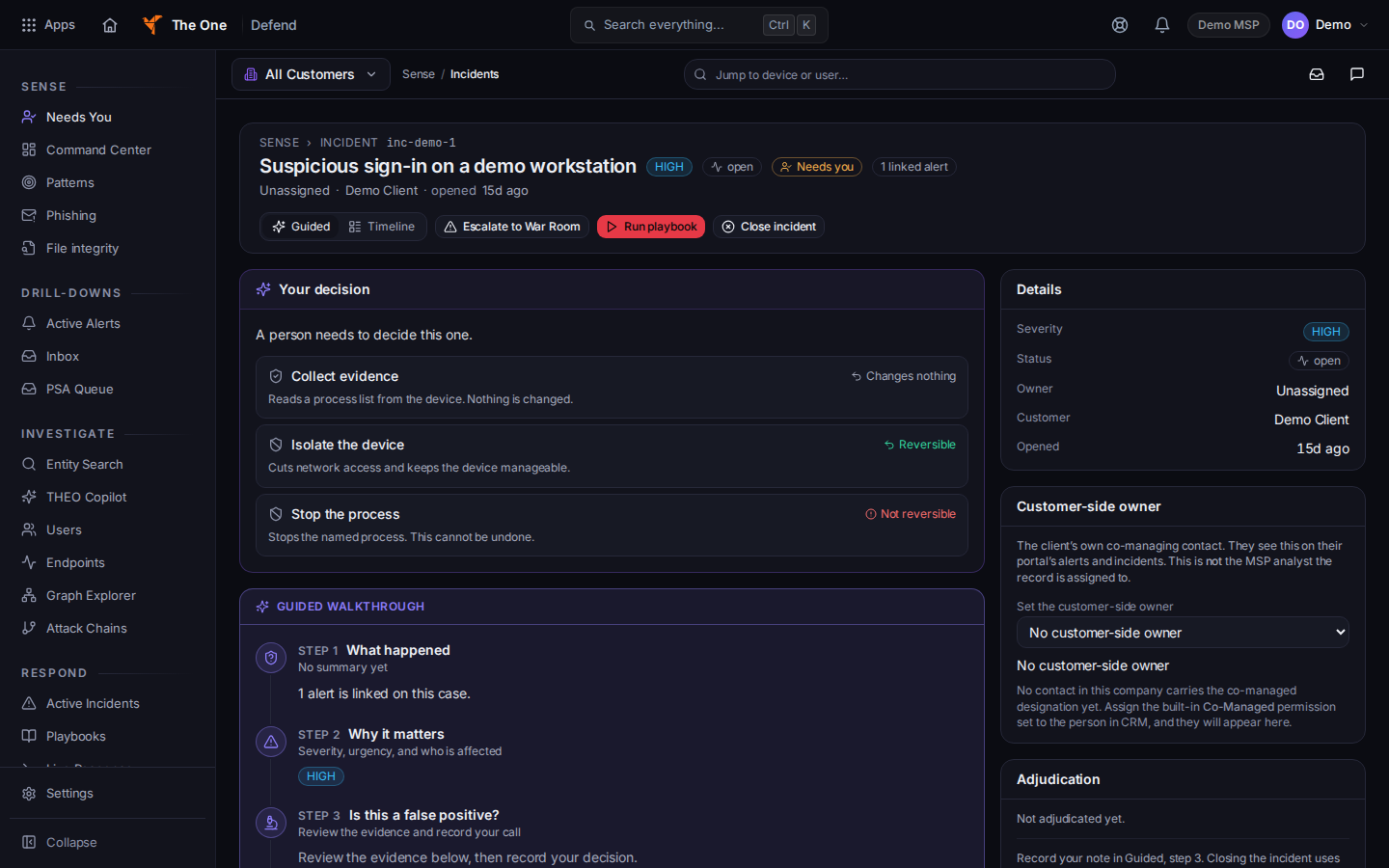
An incident open in Defend - Read the evidence on the incident or the alert. A rule that is switched on is not proof that it fired.
- Confirm who owns the next step. Acknowledging, isolating, and closing are different outcomes. Check the affected system before you close the work.
- If you install an agent, use the approved download and check the publisher signature or notarization. Do not bypass operating-system warnings. Enrollment is not proof that telemetry arrived. See Endpoint agent modules.
A visible hunting page, saved query, timeline, or process tree does not prove the investigation is complete.
The account credential check covers the managed-user roster. It does not watch a whole domain, lookalike domains, or supplier domains by itself. Lookalike domains have their own pages. See Review lookalike domains and See your domain risk.
Forensics on the endpoint can stage a process list on the device. Defend does not yet offer that bundle as a download. Locally staged data is not collected evidence.
A response command for an offline device has not run. It waits until the device checks in.
If it goes wrong#
- You expected an alert and the queue is empty. Record the client, the source, and the time. Do not replace the gap with a green dashboard.
- You have view-only access. The page says You have view-only access to this alert or You have view-only access to this incident. Ask an admin if you need to act.
- You cannot see Defend. Ask an admin to check the organization and your role.
What's next#
Was this article helpful?