
Open Defend
Open Defend and land on Incidents, where Needs you is the work for a person.
Applies to Technician Admin
Defend is where MSP staff review security items for their clients. Opening it lands you on Incidents.
The first section on that page is Needs you. That is the work a person has to decide. Other links on the page are drill-downs, not a second queue.
Open the queue#
- Open Defend. The page title is Incidents.
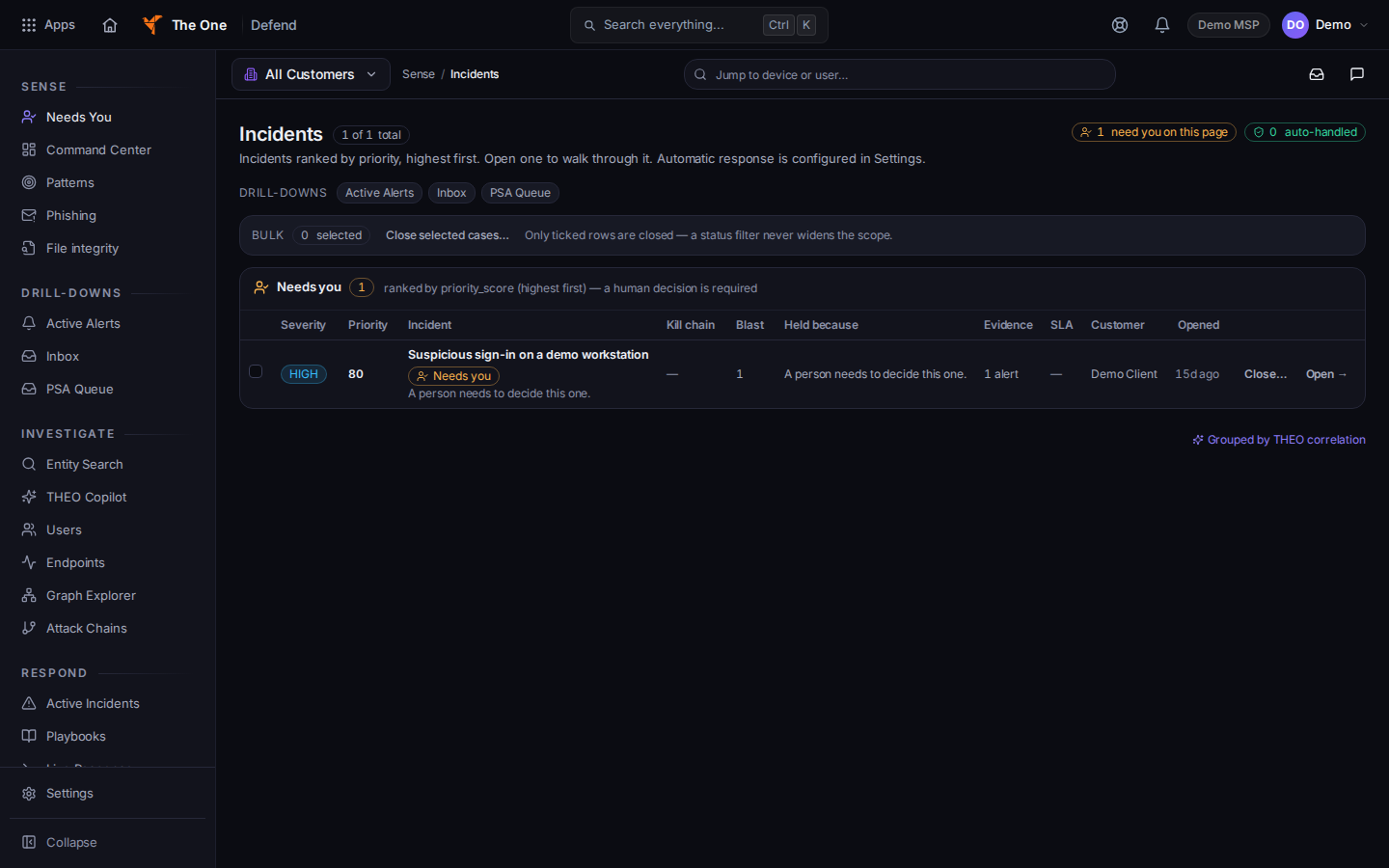
The Incidents page, with Needs you first - Work the Needs you section first. The line under it says a human decision is required.
- Choose Open → on a row to walk through that incident.
- Use the Drill-downs links when you need a narrower view: Active Alerts, Inbox, or PSA Queue.
Inbox has the tabs Mine, Watched, and Team. It is reported mail and inbox items that are not already a case.
Saved queries are not in the menu. Do not follow a saved-query bookmark as part of daily work.
If it goes wrong#
- The page says Nothing needs you right now. That is about the rows on this page. It is not proof that every device is clean.
- The page says No incidents returned — and we can't confirm why. Reload. If it stays, treat it as a failed read, not an empty fleet.
- Defend is missing. Your organization does not include it. Ask an admin.
What's next#
Was this article helpful?