
Work the Needs You queue
Decide the incidents in Needs you, or open one to walk through it.
Applies to Technician Admin
Needs you is the section on Incidents for items a person has to decide. The rows are ranked highest first.
Close a row only when you have a disposition and a reason. Open it when you need the detail page.
Work a row#
- Find the Needs you table. The count line says a human decision is required.
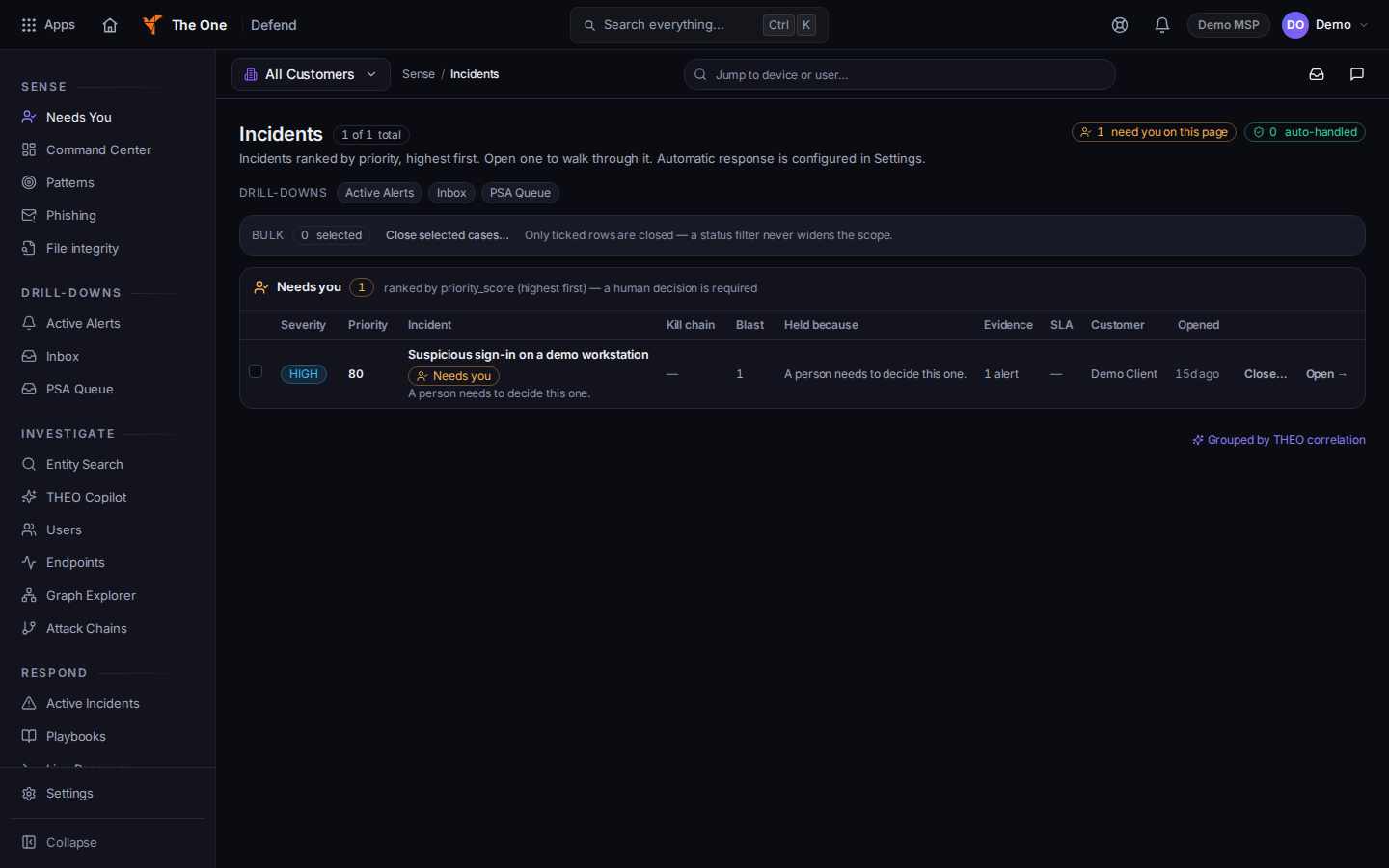
Needs you, with Open and Close on a row - Choose Open → to walk through that incident on its own page.
- To close from the queue, choose Close… on the row, or tick several rows and choose Close selected cases….
- Pick a disposition: true positive, false positive, or benign.
- Write a reason of at least 3 characters. The button then reads Record disposition and close case for one row, or Record disposition and close plus the number of cases when you ticked more than one. While it saves, the button reads Recording…. Choose Cancel to leave the rows open.
The header pill need you on this page counts the rows loaded on this page. It is not a count of every client.
If it goes wrong#
- Nothing needs you right now. The other sections on the page hold the remaining rows. A quiet Needs you section is not proof of a clean device. See Defend user guide.
- You cannot close the rows you ticked. Bulk close applies only to the rows you ticked on this page. Tick them again and retry.
- You have view-only access. The incident page says so. You can read. You cannot close.
What's next#
Was this article helpful?