
See your domain risk
Read the lookalike domains your provider is watching for your company.
Applies to Client
Domain risk in your portal lists lookalike domains that resemble your company's own names, and what you can do about them.
Your provider turns the page on. If it is off, the portal says so. You do not manage this list from a staff app.
Read the list#
- Open Domain risk in the portal. The page title is Domain risk.
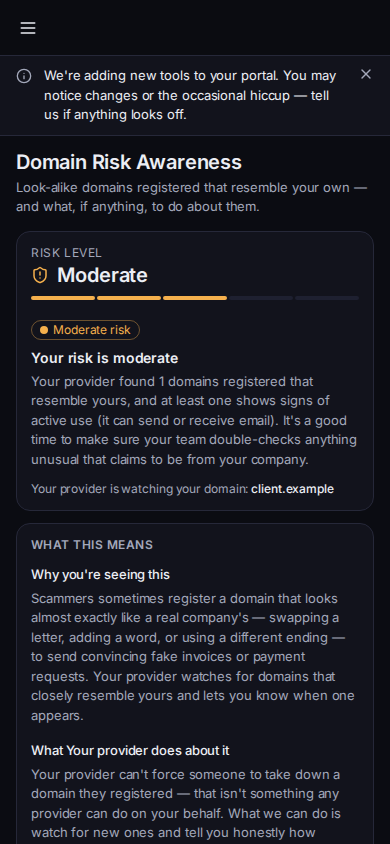
Domain risk, with Domains we found - Read the line under the title. It explains that these are lookalike domains registered to resemble your own.
- Read What this means, then Domains we found.
- If the list is empty, the page says No look-alike domains found right now. Your provider keeps watching. An empty list is not a promise that no new name will appear.
The page can also show Messages you can send. Those are drafts you can use. They are not sent until you send them.
Verify an unusual payment or bank-account change with a number you already trust before you act on it. The page cannot take a lookalike domain down for you.
If it goes wrong#
- Domain risk monitoring isn't set up yet. Ask your provider to set it up. There is no list until then.
- Domain risk awareness isn't available for your account. Ask your provider if you need it.
- Couldn't load your domain risk summary. Retry. A failed load is not an empty list.
What's next#
Was this article helpful?