
Review lookalike domains
From a domain in Defend, view lookalikes, check DMARC, or block the domain at the mail gateway.
Applies to Technician Admin
A lookalike domain is a name that resembles a real domain. In Defend you review one domain at a time from an investigation, not from a separate lookalike product.
Clients see their own list in the portal when that page is turned on. See See your domain risk.
Review one domain#
- Open the domain from Investigate. The page kind is Domain.
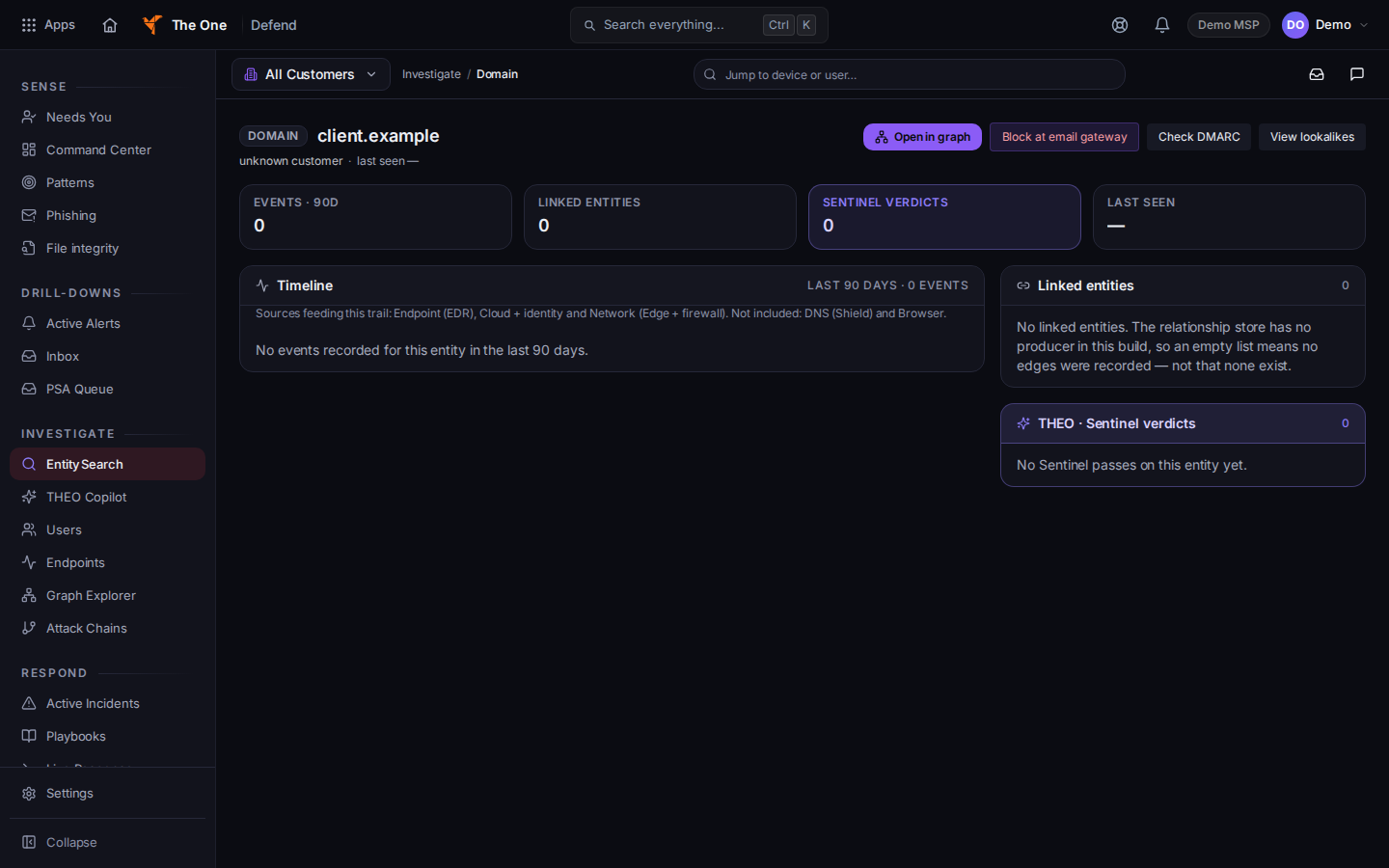
Domain actions: Block at email gateway, Check DMARC, View lookalikes - Choose View lookalikes. If none are recorded yet, the action asks for a scan and reports that result.
- Choose Check DMARC to read the DMARC check for that domain.
- Choose Block at email gateway only when you mean to block that domain. Confirm Block this domain at the email gateway and on all endpoints?
Patterns under Sense is a feed of activity patterns. It is not the lookalike list.
If it goes wrong#
- No domain selected. Open a domain from the investigation. The page says so when the address has no domain.
- View lookalikes returns none. That is an empty result for this domain, not a scan of every client.
- You cannot see the domain page. Your role may be view-only, or the investigation has no domain entity. Ask an admin.
What's next#
Was this article helpful?