
Change Shield DNS defaults
Set the organization default when a Shield block rule matches a domain.
Applies to Owner Admin
DNS Defaults is the organization-wide verdict behavior for Shield. A client can override these values on Clients.
Warn is shown and is not available. Use Block or Allow.
Set the default#
- Open Shield, then the settings gear, then DNS Defaults.
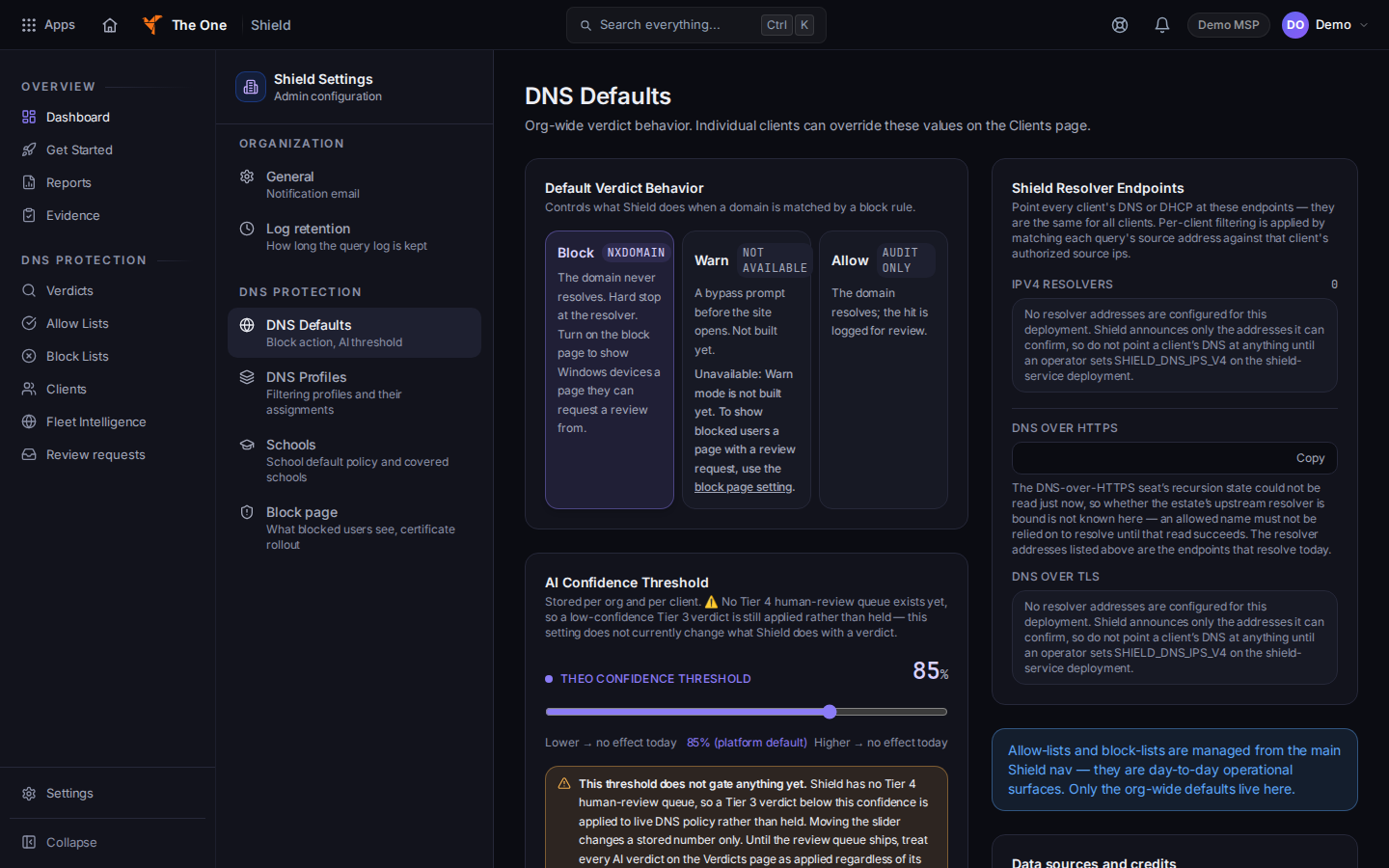
DNS Defaults, with Block, Warn, and Allow - Under Default Verdict Behavior, choose Block or Allow.
- Block stops the domain from resolving.
- Allow lets the domain resolve and logs the hit.
- Warn is marked Not available. The control is disabled.
- Choose Save DNS defaults.
DNS Profiles, Block page, General, Log retention, and Schools are the other settings pages. This article covers DNS Defaults only.
If it goes wrong#
- You are sent back to Shield. You are not an owner or an admin.
- Save does not stay. Reload DNS Defaults and read the selected action. If it reverted, save again.
- You wanted a warning page before the site opens. That action is Warn, and it is not available.
What's next#
Was this article helpful?