
Open CyberAssure
Open CyberAssure and see which menu you get as an admin or as a reader.
Applies to Admin Technician
CyberAssure is the staff app for cyber readiness: posture, incidents, evidence, and reports. You open it from the CyberAssure tile. You land on Portfolio.
The footer on these pages says CyberAssure outputs are advisory analyses. They do not constitute professional legal, accounting, or insurance advice.
A client does not buy CyberAssure here. Your organization turns it on for a company. See See CyberAssure in your portal.
Open it#
- Open CyberAssure. The brand line reads CyberAssure and MSP Dashboard. You land on Portfolio.
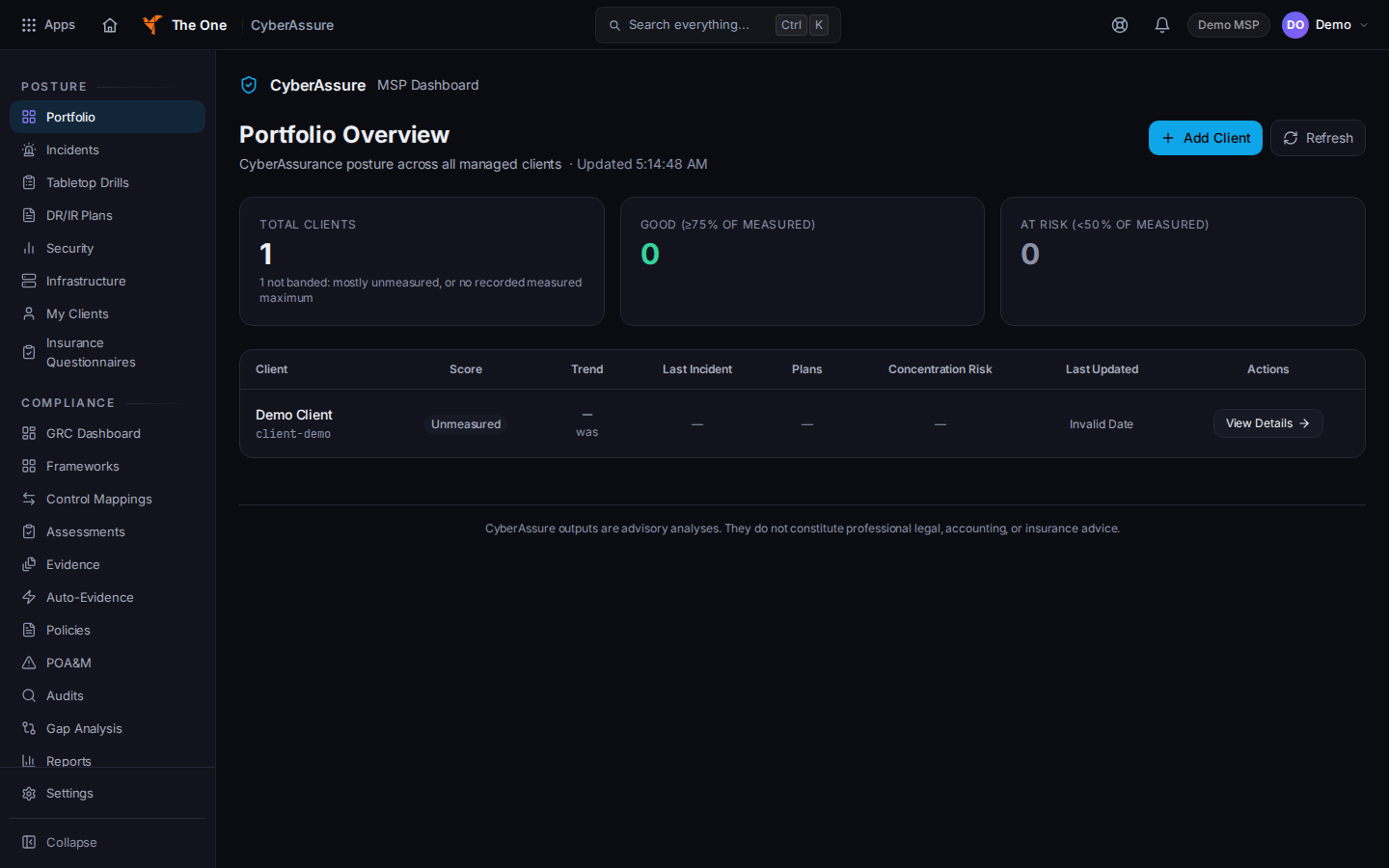
CyberAssure Portfolio - If you are an MSP admin, the sidebar groups are Posture, Compliance, Risk, and Admin.
- If you are not an admin, the sidebar shows Portfolio, Incidents, and Tabletop Drills.
Posture includes Portfolio, Incidents, Tabletop Drills, DR/IR Plans, Security, Infrastructure, My Clients, and Insurance Questionnaires.
Compliance includes Evidence, Auto-Evidence, and Reports. Those three have their own articles. The same group also lists GRC Dashboard, Frameworks, Control Mappings, Assessments, Policies, POA&M, Audits, and Gap Analysis.
Framework Feedback is only for a platform owner. If you do not see it, that is expected.
If it goes wrong#
- Access Denied. The page says the MSP dashboard is only for MSP administrators. Choose Return to Hub, or ask an admin.
- Page not found. The address is not a current CyberAssure page. Use the sidebar.
- CyberAssure is missing. Your organization does not include it.
What's next#
Was this article helpful?