
Collect posture evidence
Open Auto-Evidence, seed sources if the list is empty, and collect from one source.
Applies to Admin
Auto-Evidence collects compliance evidence from sources you enable. The page title is Auto-Evidence Collection.
Collection is a run you start or that the source performs. A failed run is not evidence on file.
Collect from a source#
- Open Auto-Evidence.
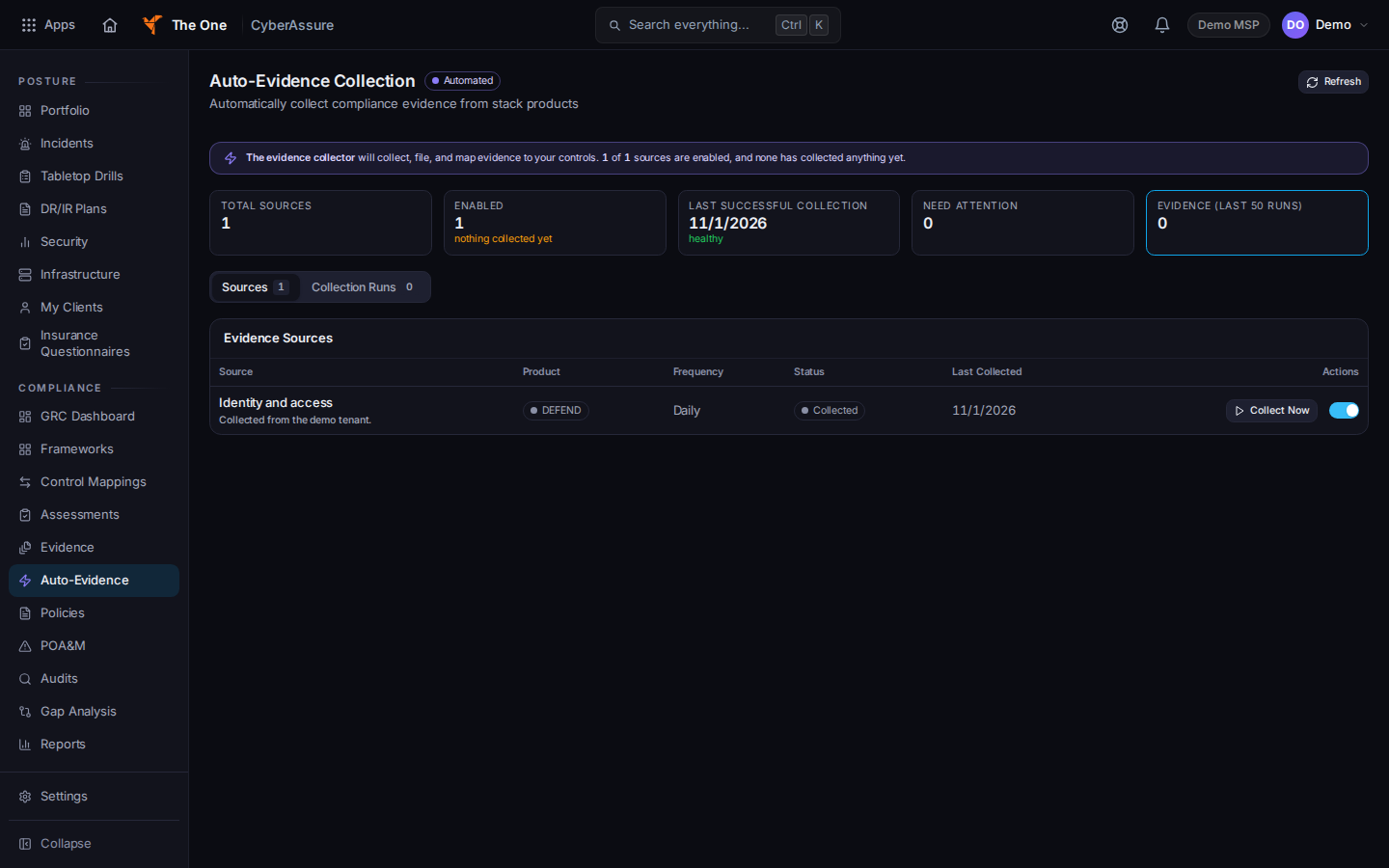
Auto-Evidence Collection, on the Sources tab - If the source list is empty, choose Seed Default Sources.
- Stay on Sources. Turn a source on, then choose Collect Now. While it runs, the button reads Collecting….
- Open Collection Runs to see Started and Duration for each run.
- Choose Refresh to read the list again.
A successful collect tells you to review the item in the evidence library. See Add evidence with an expiration date.
Source health on a row can read Collected, Failed, Not yet run, Not connected, or No source available.
Portfolio is the client list. Open a client from there when you need that company's posture. The client portal shows the same kind of areas, and an area that was not measured says Not measured. See See CyberAssure in your portal.
If it goes wrong#
- Failed to load auto-evidence sources. Check your connection and try again. Choose Refresh. Do not treat the failure as zero sources.
- Failed on a source. Read that row. Choose Collect Now again after the connection is fixed. A failure is not collected evidence.
- You do not see Auto-Evidence. You are not an admin. Ask an admin.
What's next#
Was this article helpful?