
Assign security training
Assign a training bundle from Cypher in CRM, or turn on auto-assign.
Applies to Admin
Cypher is security awareness training. For MSP staff it lives inside CRM. There is no separate Cypher tile in the product switcher.
Clients take lessons in the portal. See Your security training, Take AI safety training and Take HIPAA training.
Assign a bundle#
- Open CRM, then Cypher, then Overview. The page title is Cypher — Security Awareness.
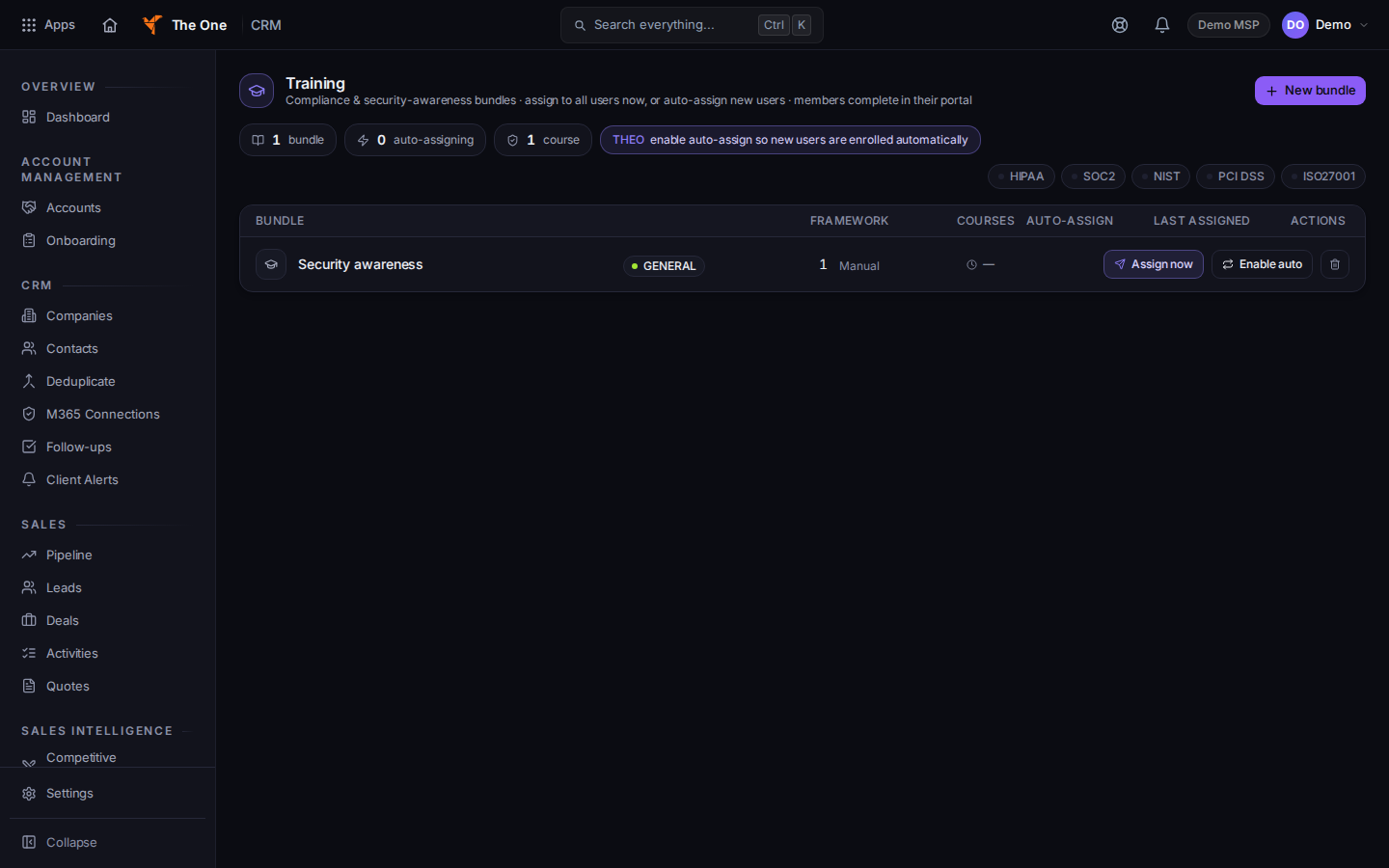
Cypher Training, with Assign now - Open Training.
- On a bundle, choose Assign now to enroll people, or turn on Auto-assign so new people get it.
- Choose New bundle when you need a bundle that is not in the list yet.
Immersive Episodes can show Preview episode. A preview does not record learner progress.
Compliance Reports on the Cypher menu exports a CSV of who finished training. Choose Export CSV.
Dark-Web Monitoring is a separate page on the same menu. This article does not cover it.
There is no Cypher item under the settings gear. Do not look for a settings page that is not in the menu.
If it goes wrong#
- Cypher is not in the CRM menu. The organization does not include Cypher. Ask an owner.
- A client cannot find the lessons. They use Security Training in the portal, not CRM. See Your security training.
- Assign now does not change the bundle. Reload Training. If the bundle still shows it is not assigned, choose Assign now again.
What's next#
Was this article helpful?