
See who is on call
Read the On-Call schedule tabs and the escalation policies.
Applies to Technician Admin
Schedules shows who is covering. Escalation shows the policies for who is next. Reading them does not send a page.
Read coverage#
- Open Schedules.
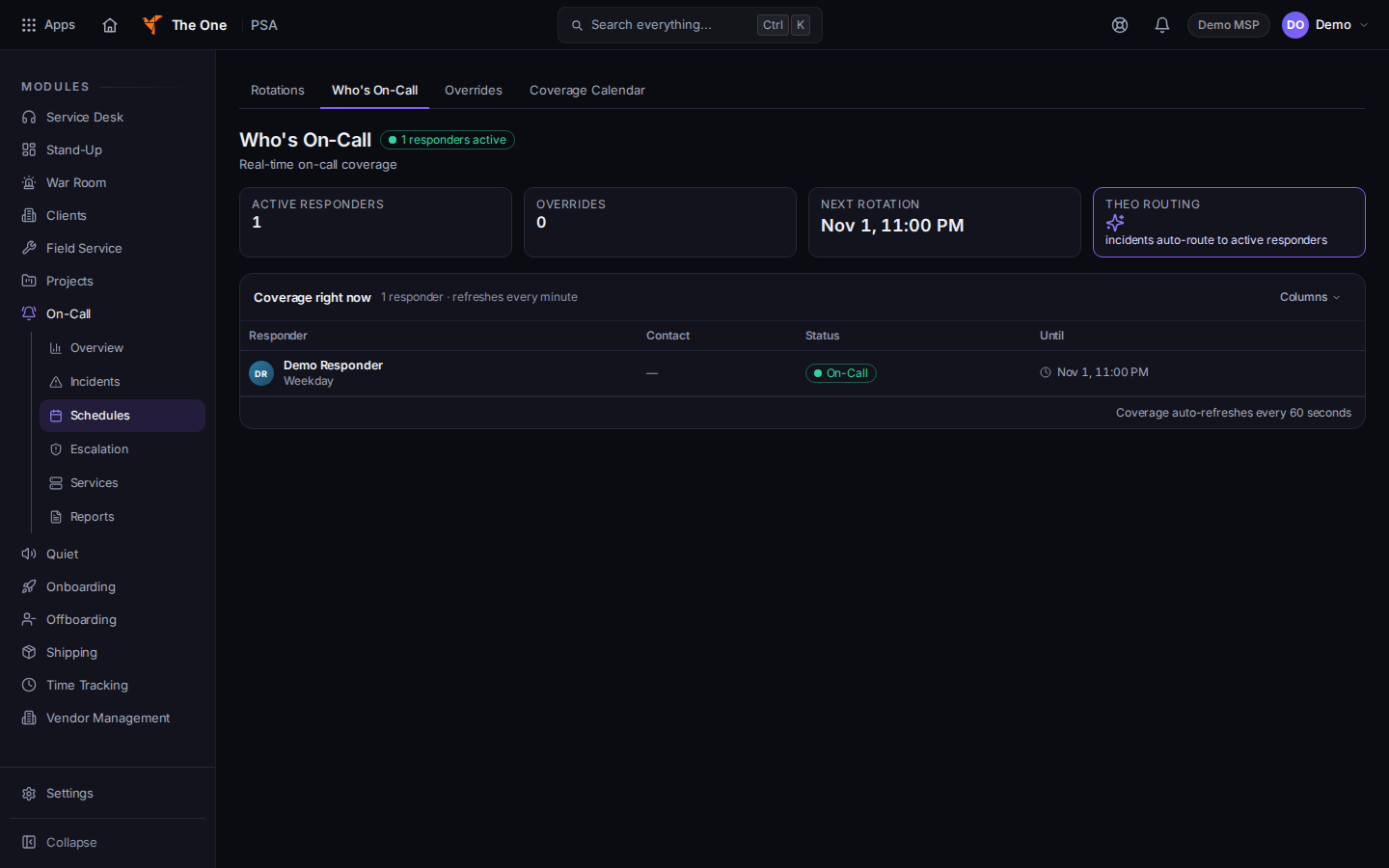
Schedules, on the Who's On-Call tab - Use the tabs Rotations, Who's On-Call, Overrides, and Coverage Calendar.
- Open Who's On-Call for the person covering now.
- Open Overrides for a temporary change, and Coverage Calendar for the calendar view.
- Open Escalation. The page title is Escalation Policies, and the list title is All Policies.
Changing a policy or a rotation is an admin task. This article is the read path. Do not edit a live rotation to see what a page would do.
If it goes wrong#
- The tabs are missing. You are not on Schedules. Open Schedules from the On-Call menu.
- Who's On-Call is empty. There may be no rotation for this moment. Check Rotations and Overrides, then ask an admin. Do not send a test page to find out.
- You cannot open On-Call. Ask an admin.
What's next#
Was this article helpful?