
Acknowledge an on-call incident
Acknowledge a triggered On-Call incident, or resolve it from the list.
Applies to Technician Admin
Incidents in On-Call is the list you use when you are paged. Acknowledge is for a triggered incident. Resolve closes a triggered or acknowledged incident.
The list does not show an undo for those buttons. Read the row before you press one.
Acknowledge or resolve#
- Open Incidents. Filter Status if you need Triggered, Acknowledged, or Resolved.
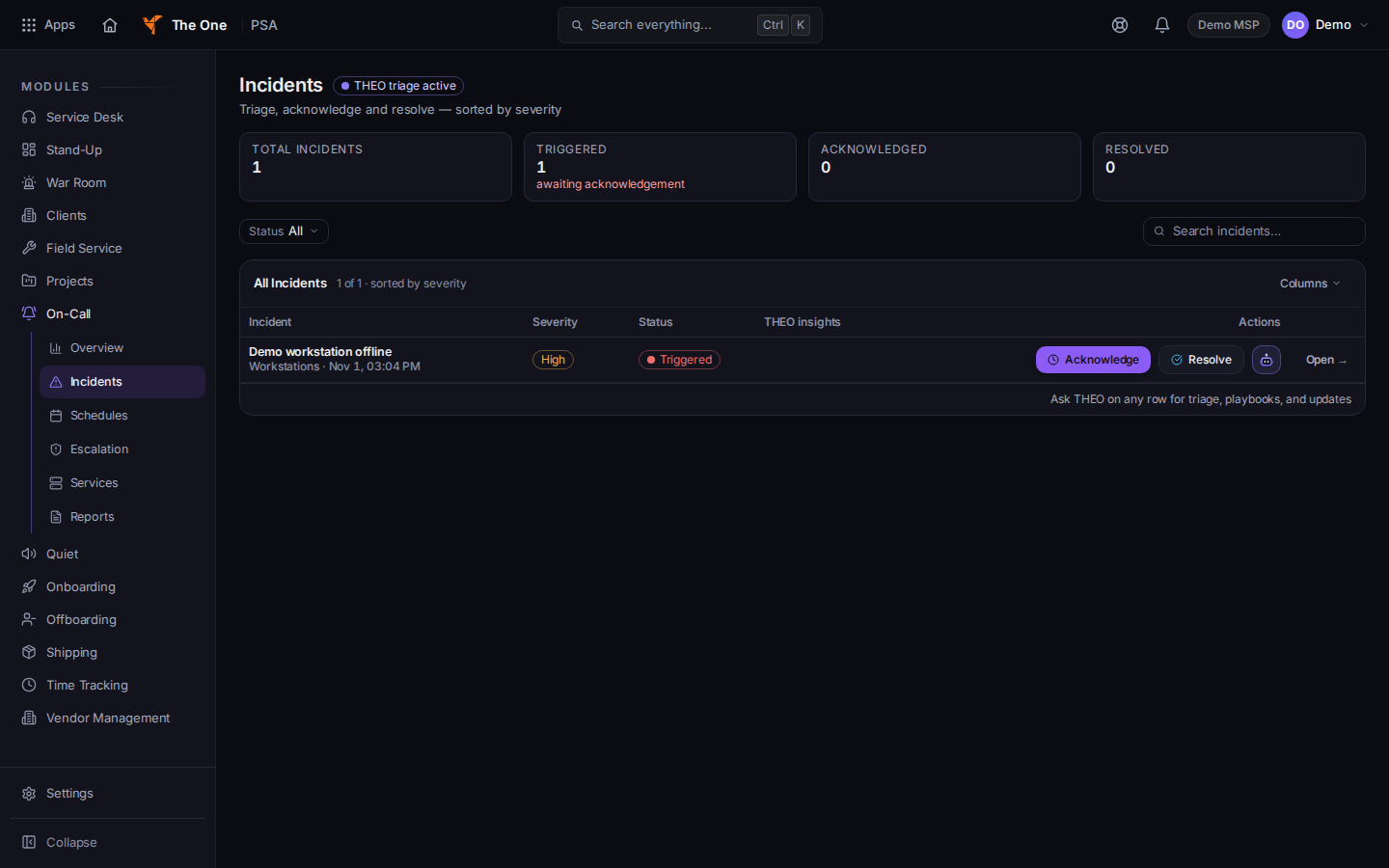
Incidents, with Acknowledge and Resolve - On a triggered row, choose Acknowledge. The button is disabled while the request is in progress.
- On a triggered or acknowledged row, choose Resolve when the work is finished.
- Open the incident if you need the detail page. There, Acknowledge is the same action, and Resolve… asks Resolve this incident? Confirm with Resolve incident.
The tiles on the list are Total incidents, Triggered, Acknowledged, and Resolved. Triggered can say awaiting acknowledgement.
On a resolved row, Create PIR opens Post-Incident Reviews. That page is not in the six-item menu. This article stops at acknowledge and resolve.
An empty list says All clear. That is the list you are viewing. It is not a status page for every system you monitor.
If it goes wrong#
- Couldn't load incidents. Please try again in a moment. Retry. Do not assume there is no page.
- Acknowledge or Resolve stays disabled. The request is still in progress. Wait, then read the status again.
- You do not see the buttons. The row is not in a status that offers them, or you opened a hidden page. Use Incidents.
What's next#
Was this article helpful?