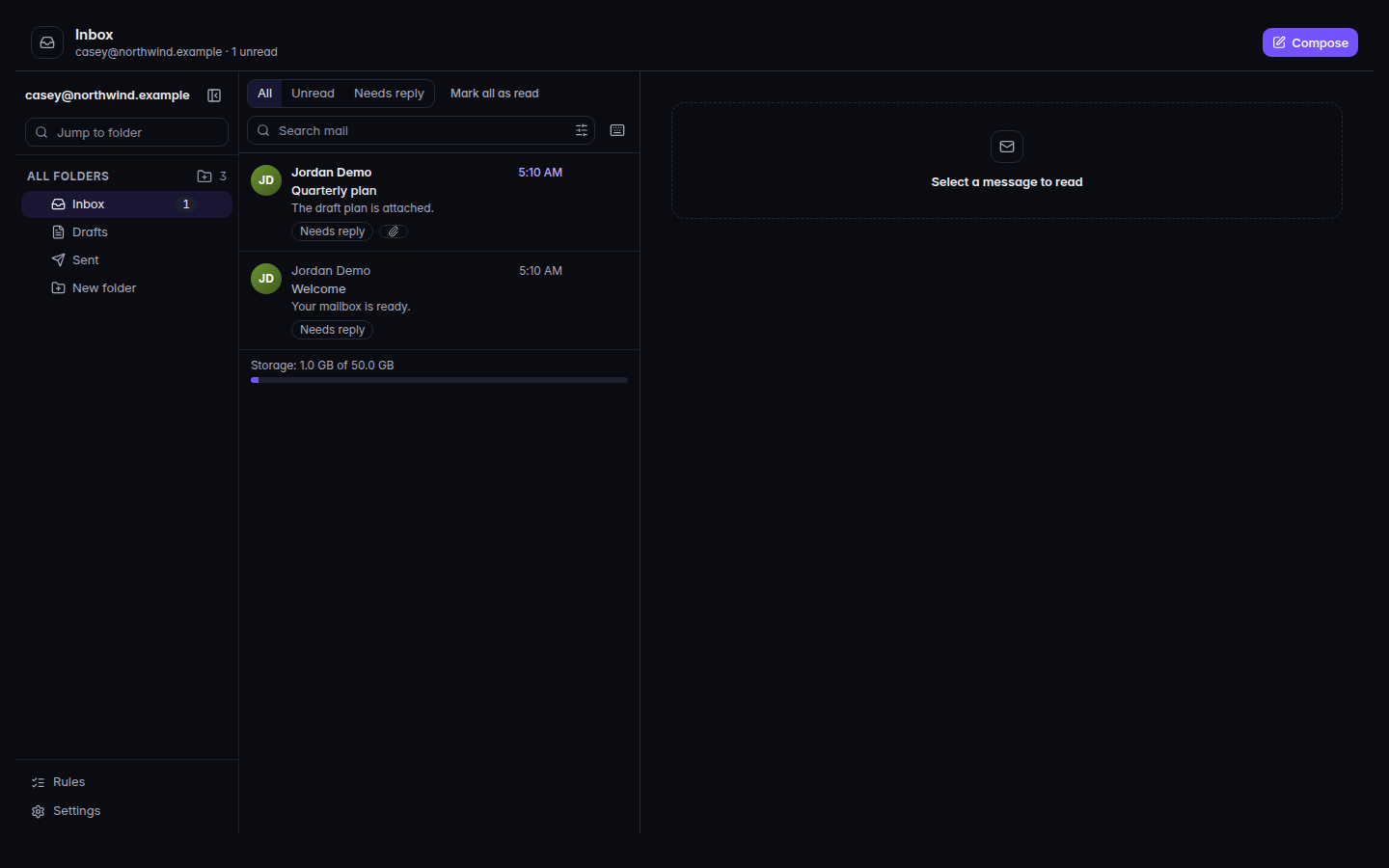
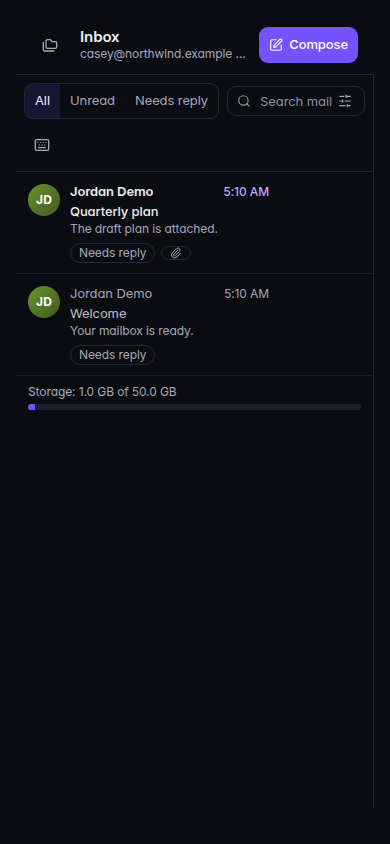
Open Mail. The inbox is the folder that opens.Mail, with Compose and the message listMail, with Compose and the message list.The same inbox on a phone.The same inbox on a phone.
Select a message. The empty reader says Select a message to read.
Choose Reply, Reply all, or Forward.
Choose Compose for a new message. Fill in To. Add Cc or Bcc if you need them.
Choose Send.
All, Unread, and Needs reply filter the list. Mark all as read clears the unread mark in the folder you are viewing. Search mail searches. Is this email safe? checks the open message. The result is Looks safe, Be careful, This email looks unsafe, or Could not check.
While a check says This email looks unsafe, links and attachments stay off until you decide.
Sending is not enabled yet. You can write and save drafts. You can compose. Send will not deliver. The list can also say Sending is not enabled yet. You can read mail and save drafts.
You can read this mailbox but not send from it. This is a shared mailbox and you were not given send access.
Couldn't load your mailbox. Retry. Your other folders are unchanged.
That message is under a legal hold and cannot be removed. Delete will not remove it.
Inbox is empty. The page says New mail shows up here as it arrives.No unread mail and Nothing needs a reply mean the filter is empty, not that mail is missing.